

Online Education
Preply Sign Up Guide for Students and Tutors
Learn how to register on Preply whether you want to learn languages or teach them online.
Preply has grown into one of the largest online language tutoring marketplaces, connecting millions of students with tutors across dozens of languages. Whether you want to learn Spanish for travel, prepare for IELTS, or start earning as an online tutor, the first step is creating an account. The sign-up process differs depending on which side of the marketplace you join, and understanding the requirements upfront saves time and frustration later.
Contents
- 1. Creating a Student Account on Preply
- 2. Step-by-Step Student Registration Process
- 3. Setting Up Your Student Profile
- 4. Finding and Booking Your First Lesson
- 5. Applying to Become a Preply Tutor
- 6. Tutor Application Requirements and Eligibility
- 7. Completing the Tutor Application Form
- 8. What Happens After You Submit Your Application
- 9. Common Application Mistakes to Avoid
- 10. Managing Your Preply Subscription
- 11. Using the Preply Mobile App
- 12. How Preply Works for Different User Types
- 13. Preply Compared to Alternative Platforms
- 14. Troubleshooting Common Sign-Up Issues
- 15. Security and Privacy Considerations
- 16. Getting Support When Things Go Wrong
- 17. Final Assessment of Preply Sign Up Process
This guide walks through both paths in detail. For students, we cover account creation, profile setup, finding tutors, and booking that first lesson. For aspiring tutors, we explain the application requirements, the profile approval process, and what happens after submission. We also address common pitfalls, subscription management, and mobile access so you can use the platform effectively from day one.
The platform operates on a freemium model for students — signing up costs nothing, but lessons require payment. Tutors apply for free but undergo a review process before their profiles go live. Both sides benefit from understanding how the marketplace works before investing significant time. Let's start with the student experience since that's the more common entry point.
Creating a Student Account on Preply
Student registration begins at preply.com or through the mobile app. The homepage presents a clear entry point: choose the language you want to learn, then answer a few questions about your goals, current level, and preferred schedule. This initial questionnaire helps the algorithm suggest relevant tutors immediately after you complete sign-up. You can skip it and browse manually, but the recommendations are surprisingly accurate for popular languages like English, Spanish, and French.
You can register with an email address, Google account, Apple ID, or Facebook login. Email registration requires verifying your address via a link sent to your inbox. The verification step is mandatory — you cannot browse tutor profiles or book lessons until you click that link. If the email doesn't arrive within a few minutes, check spam folders and request a new one. Some corporate firewalls block automated emails, so using a personal address often works better than a work address.
After verification, you land on the tutor discovery page. The interface shows tutor cards with photos, hourly rates, ratings, number of reviews, and short video introductions. Filters let you narrow results by price range, availability, native speaker status, specialties (like business English or test prep), and time zone. The time zone filter is particularly useful if you need early morning or late evening sessions — it shows tutors whose working hours overlap with yours.
Before booking, you can watch tutor introduction videos, read reviews, and check their calendar for open slots. Most tutors offer a trial lesson at a reduced rate — typically 50% off their regular price — which lets you assess teaching style and chemistry before committing to a package. Trial lessons run 30 or 60 minutes depending on the tutor. You pay for the trial upfront, but Preply's satisfaction guarantee covers your first lesson with any new tutor: if you're not satisfied, you get a free replacement lesson with another tutor.
Step-by-Step Student Registration Process
The registration flow takes about three minutes if you have your information ready. Start by clicking "Get Started" or "Find Tutors" on the homepage. Select your target language from the dropdown — Preply supports over 50 languages including less common ones like Welsh, Icelandic, and Tagalog. Next, indicate your current proficiency: beginner, intermediate, advanced, or "not sure." The "not sure" option triggers a quick placement test later.
Then choose your learning goal: conversation practice, grammar improvement, test preparation, business language, travel basics, or "other." This selection influences which tutors appear first in your results. For example, selecting "IELTS preparation" prioritizes tutors who tag themselves as IELTS specialists. You can change this later in your profile settings, so don't overthink it.
The next screen asks for preferred days and times. You can select multiple time blocks across the week. This data feeds the availability filter — tutors whose schedules match your preferences appear higher in search results. If your schedule is irregular, select broad windows like "weekday evenings" and "weekend mornings" rather than specific hours. You can always adjust availability filters manually when searching.
Finally, create your account. Enter your name, email, and password, or choose a social login. After email verification, you're prompted to complete your student profile. This includes a profile photo (optional but recommended), a short bio describing your learning objectives, and any specific topics you want to focus on. Tutors see this information when you request a lesson, so a clear bio helps them prepare relevant materials.
- Choose target language from 50+ options
- Indicate current proficiency level
- Select primary learning goal
- Set preferred days and times
- Create account with email or social login
- Verify email address via confirmation link
- Complete student profile with photo and bio
Setting Up Your Student Profile
A complete student profile improves your experience in several ways. Tutors can tailor lessons to your interests and goals when they see your bio beforehand. The algorithm also uses profile data to refine tutor recommendations. You don't need to write an essay — a few sentences about why you're learning, what you struggle with, and what topics interest you are sufficient. For example: "I'm learning Spanish for a trip to Mexico in three months. I need conversation practice and help with past tense verbs. I enjoy discussing food and travel."
Profile settings also control notifications. You can choose email, push, or SMS alerts for upcoming lessons, tutor messages, package renewals, and promotional offers. The default settings send email notifications for everything, which can feel excessive. Most users disable promotional emails and keep only lesson reminders and messages. SMS notifications are available in supported countries and useful if you don't check email frequently.
Payment methods are managed in the billing section. Preply accepts major credit cards, PayPal, Apple Pay, and Google Pay depending on your region. You can add multiple payment methods and set a default. The platform charges in your local currency when possible, but some regions default to USD. Exchange rates and fees are handled by your bank or payment provider, not Preply. It's worth checking whether your card charges foreign transaction fees if you're billed in a different currency.
Finding and Booking Your First Lesson
The tutor search page is where most students spend their first session. Filters on the left sidebar let you refine results by hourly rate (from $5 to $100+), tutor rating (4.0+, 4.5+, 4.8+), number of lessons taught, native speaker status, and specialties. The "Also speaks" filter is powerful — if you're a native Portuguese speaker learning English, you can find tutors who speak Portuguese and can explain concepts in your language.
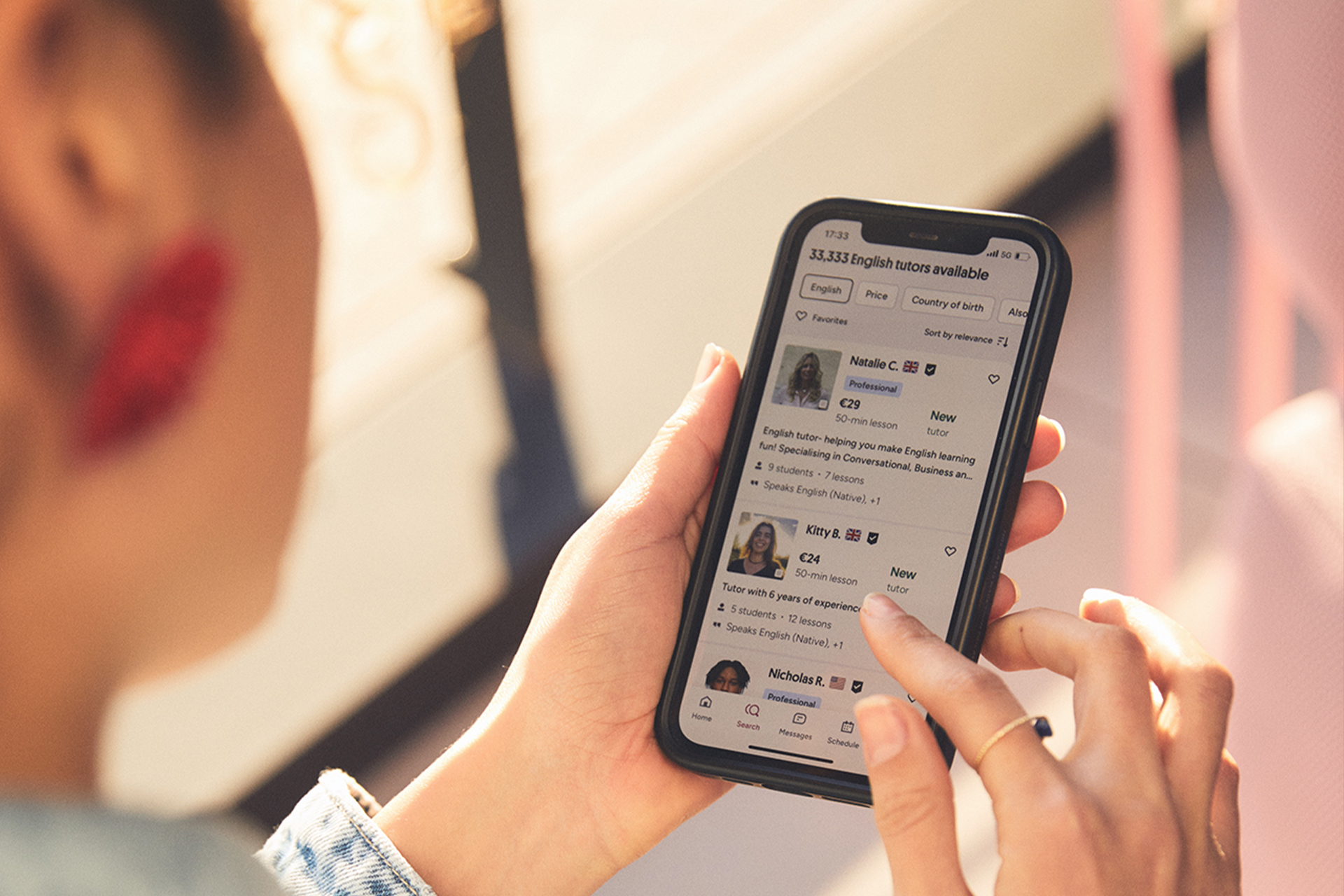
Each tutor card shows key information: name, photo, country flag, hourly rate, rating, total reviews, number of active students, and a short tagline. Clicking a card opens the full profile with video introduction, detailed bio, education and certifications, teaching methodology, student reviews, and calendar availability. The calendar shows open slots in your local time zone, eliminating confusion about time differences.
Booking a trial lesson requires selecting a time slot, confirming the duration (30 or 60 minutes), and paying the trial price. After payment, you receive a confirmation email with the lesson link. The lesson takes place in Preply's built-in video classroom — no external software needed. The classroom includes screen sharing, a collaborative whiteboard, file sharing, and chat. You can join from browser or mobile app. A stable internet connection and working microphone are essential; a webcam is recommended but not required.
If you need to reschedule or cancel, the policy depends on timing. Cancellations more than 4 hours before the lesson are free. Within 4 hours, the lesson is charged but you can reschedule once with the same tutor. No-shows are charged in full. These policies protect tutors' time while giving students reasonable flexibility. Always communicate with your tutor through Preply chat if something comes up — most are accommodating when given notice.
Applying to Become a Preply Tutor
The tutor application process is more involved than student registration because Preply vets every tutor before their profile goes live. This maintains quality standards for students and protects the platform's reputation. The application lives at preply.com/tutors or through the "Become a Tutor" link in the footer. You'll need to create a separate tutor account — your student account (if you have one) doesn't automatically grant tutor access.
The application starts with basic information: legal name, email, phone number, country of residence, and languages you want to teach. You can apply to teach multiple languages, but each requires demonstrating proficiency. For English, Preply expects C1 level or higher (advanced). Native speakers have an advantage but aren't required — many successful tutors are non-native speakers with strong credentials and teaching experience.
After the initial form, you'll record a short video introduction (60-90 seconds) and write a detailed profile description. The video is mandatory and serves as your first impression for both the review team and future students. Record in a quiet, well-lit space. Speak clearly in the language you'll teach. Mention your qualifications, teaching approach, and what students can expect. Don't read from a script — natural delivery comes across better.
The written profile includes sections for education, certifications, work experience, teaching methodology, and specialties. Be specific. Instead of "I teach English well," write "I specialize in business English for IT professionals, with 5 years of experience preparing students for technical interviews and presentations." Concrete details help students find you and help the review team assess your fit. You'll also set your hourly rate — research what similar tutors charge before deciding.
Tutor Application Requirements and Eligibility
Preply doesn't publish a rigid checklist of mandatory qualifications, but the review team evaluates several factors. Teaching experience is the strongest signal — formal classroom experience, private tutoring, language school work, or volunteer teaching all count. Certifications like TEFL, TESOL, CELTA, or DELTA strengthen applications significantly, especially for English. A bachelor's degree in any field helps but isn't strictly required if you have substantial teaching experience.
Language proficiency must be demonstrable. For English, this typically means IELTS 7.5+, TOEFL 100+, or equivalent. Native speakers can often skip formal proof. For other languages, Preply may request test scores or conduct a brief verification call. The platform supports over 50 languages, and requirements vary by language demand. High-demand languages (English, Spanish, French, German, Chinese, Japanese) have more applicants and stricter review.
Technical requirements are straightforward: a computer with webcam, microphone, stable broadband internet (minimum 10 Mbps download/upload), and a quiet teaching environment. You'll teach through Preply's video classroom, so familiarity with video conferencing tools helps. The platform works on Chrome, Firefox, Safari, and Edge — no special software installation needed. Mobile-only teaching is possible but not recommended for regular lessons due to screen size limitations.
- Teaching experience (formal or informal) strongly preferred
- TEFL/TESOL/CELTA certification for English tutors
- Demonstrable C1+ proficiency in teaching language
- Bachelor's degree in any field (preferred, not mandatory)
- Reliable computer with webcam and microphone
- Stable broadband internet (10+ Mbps)
- Quiet, professional teaching environment
- Availability during peak student hours (varies by timezone)
Completing the Tutor Application Form
The application form has several sections, each serving a specific purpose. Personal information includes legal name, date of birth, address, and phone number — used for identity verification and payouts. Tax information is collected upfront for compliance: US tutors provide W-9, non-US tutors provide W-8BEN. This feels early in the process, but it prevents delays once you start earning. Preply handles tax withholding according to your country's treaty with the US.
The language section lets you add multiple languages with self-assessed proficiency levels. Be honest — overstating proficiency leads to poor student matches and negative reviews. For each language, you'll indicate whether you're a native speaker, your CEFR level, and any certifications. You can also specify dialects or regional variants (e.g., Brazilian vs. European Portuguese, Latin American vs. Castilian Spanish). This helps students find exactly what they need.

The profile content section is where you differentiate yourself. The headline appears in search results — make it specific: "Business English Coach for Tech Professionals" beats "Experienced English Tutor." The description allows up to 2000 characters. Cover your teaching philosophy, typical lesson structure, materials you use, student success stories, and personality. Write in first person. Students choose tutors they connect with personally, not just on credentials.
Pricing deserves careful thought. Preply takes a commission that decreases with volume: 33% for the first 20 lessons with a student, 28% for lessons 21-50, 25% for 51-200, and 18% after 200 lessons. Factor this into your rate. A $20/hour rate nets you $13.40 initially, rising to $16.40 at the highest tier. Research competitors with similar qualifications. Starting slightly lower can attract initial students and reviews, then raise rates as your profile gains traction.
Scroll horizontally to see all columns
| Lessons with Student | Commission Rate | Tutor Earnings on $20/hr |
|---|---|---|
| 1-20 | 33% | $13.40 |
| 21-50 | 28% | $14.40 |
| 51-200 | 25% | $15.00 |
| 200+ | 18% | $16.40 |
What Happens After You Submit Your Application
After submission, your application enters a review queue. The review team typically responds within 3-5 business days, though it can take up to two weeks during peak periods. You'll receive an email with one of three outcomes: approved, rejected, or request for additional information. Approval means your profile goes live immediately and you can start accepting students. Rejection includes a brief reason — common ones include insufficient teaching experience, video quality issues, or incomplete profile sections.
If additional information is requested, respond promptly. The team might ask for a better video, clarification on experience, or proof of language proficiency. This isn't a soft rejection — many tutors get approved after providing the missing piece. Check your email (including spam) daily during this period. Once approved, you'll complete a brief onboarding that covers platform policies, classroom tools, and best practices for your first lessons.
New tutors often wonder how to get their first students. The algorithm gives new profiles a temporary visibility boost for the first two weeks. During this window, keep your calendar wide open, respond to messages within an hour, and consider a competitive trial lesson price. Your first 5-10 reviews are critical — they establish social proof and improve search ranking. Some tutors offer discounted packages for the first month to build a student base quickly.
Common Application Mistakes to Avoid
Many rejected applications share the same issues. The most frequent: generic profile descriptions that could apply to any tutor. "I love teaching and helping students learn" tells students nothing about your approach. Another common mistake: poor video quality — bad lighting, background noise, reading from a script, or speaking too quietly. The review team watches every video. If they struggle to hear or understand you, students will too.
Pricing errors also cause problems. Setting rates far above market without exceptional credentials leads to zero bookings. Setting rates too low signals low quality and attracts students who don't value the service. Research the range for your language and specialty. Also, listing availability you can't actually maintain frustrates students and hurts your response rate metric. Only open slots you can reliably honor.
Incomplete tax information delays approval. Have your tax ID or social security number ready. US tutors need SSN or EIN. International tutors need their local tax ID. The W-8BEN form requires your country's tax treaty article number if claiming reduced withholding — look this up beforehand. Preply's help center has guides for major countries, but ultimate responsibility for accurate tax info rests with you.
- Generic profile descriptions without specifics
- Poor video quality: lighting, audio, or delivery
- Unrealistic pricing (too high or too low)
- Availability slots you cannot honor
- Incomplete or incorrect tax information
- Overstating language proficiency
- Missing teaching methodology details
- No clear specialization or niche
Managing Your Preply Subscription
Students on Preply don't have a traditional subscription — you purchase lesson packages (5, 10, 15, or 20 hours) with a specific tutor. Packages expire after 12 months if unused. You can also pay per lesson without a package, but packages offer 5-15% discounts depending on size. The system automatically deducts hours as you complete lessons. When a package runs low, you'll get a reminder to renew or purchase a new one.
Subscription management for students centers on the "My Lessons" and "Billing" sections. You can view upcoming lessons, past lessons, remaining package hours, and payment history. Canceling a package isn't possible once purchased, but you can stop booking new lessons and let hours expire. Refunds for unused hours are only granted in exceptional circumstances (tutor misconduct, platform issues) — not for change of mind. Read the refund policy before buying large packages.
Tutors have a different financial relationship. Earnings accumulate in your Preply wallet after each completed lesson, minus commission. Withdrawals are available once your balance reaches $30 (or equivalent). Payout methods include PayPal, Payoneer, Wise, and direct bank transfer depending on country. Withdrawals process in 1-3 business days. Preply doesn't charge withdrawal fees, but payment providers may. Set up your payout method early — you can't withdraw until it's configured and verified.
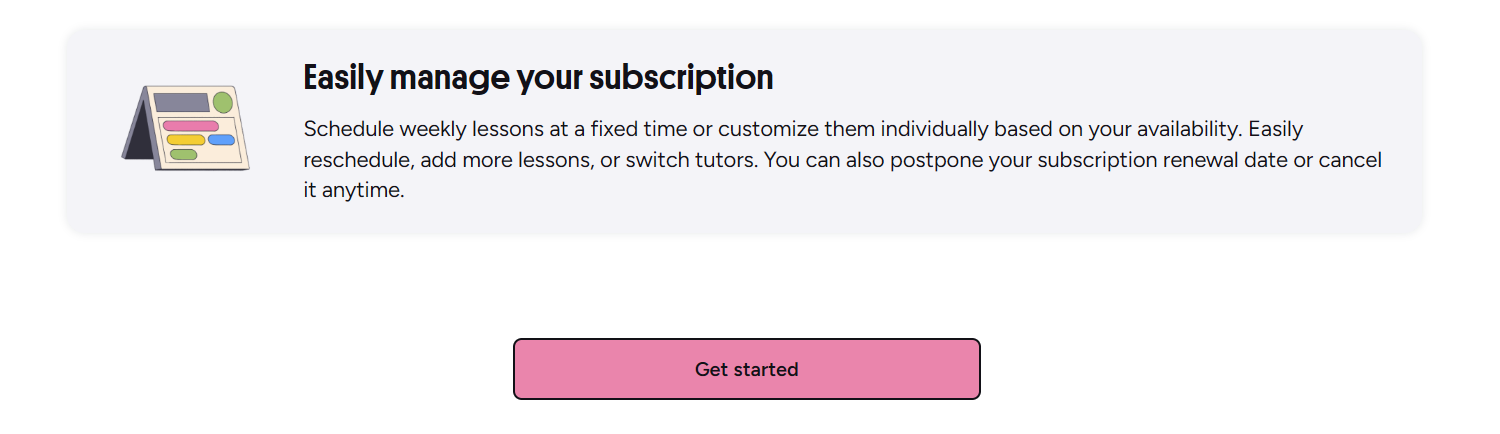
Both students and tutors can pause accounts temporarily. Students can hide their profile from search while keeping lesson history and packages intact. Tutors can set their status to "unavailable" which removes them from search but preserves their profile, reviews, and students. This is useful for vacations, exams, or busy periods. Reactivating takes one click. Permanent account deletion is also available in settings but removes all data irreversibly.
Using the Preply Mobile App
Preply's mobile apps for iOS and Android replicate most desktop functionality. Students can browse tutors, book lessons, join video classes, chat with tutors, and manage packages. Tutors can manage availability, respond to messages, conduct lessons, and track earnings. The apps are well-rated (4.7+ on both stores) and receive regular updates. Push notifications for lesson reminders and messages are reliable — enable them to avoid missed sessions.
The mobile classroom works surprisingly well for conversation-focused lessons. Screen sharing and whiteboard features are available but more limited on small screens. For lessons heavy on document review, grammar exercises, or presentation practice, a desktop or tablet provides a better experience. Many tutors recommend students join from a computer when possible. The app excels at scheduling, messaging, and quick vocabulary review between lessons.
Offline features are minimal — you can view downloaded lesson materials and review vocabulary flashcards without internet, but live lessons and booking require connectivity. The app caches your upcoming schedule and tutor contact info, so you can reach your tutor if connection drops during a lesson. Some users report occasional sync delays between app and desktop — if a booking doesn't appear immediately, pull to refresh or restart the app.
How Preply Works for Different User Types
The platform serves distinct user segments with different needs. Casual learners typically book 1-2 lessons per week with flexible scheduling. They benefit from the pay-as-you-go option and trial lessons to find a good match. Intensive learners preparing for exams or relocation often book 5+ hours weekly with the same tutor, using large packages for cost savings. They should prioritize tutors with relevant test prep experience and consistent availability.
Business users access Preply Business, a separate product with admin dashboards, team management, progress tracking, and centralized billing. Individual professionals can use the regular platform but miss reporting features. Companies with 5+ learners typically save money and gain visibility with the business plan. The business sign-up involves a sales conversation and custom pricing — not the self-serve flow described here.
Tutors also fall into categories. Part-time tutors teach 5-15 hours weekly alongside other work. They should set realistic availability and use the calendar blocking feature to prevent overbooking. Full-time tutors treat it as a primary income source, often teaching 25+ hours weekly across multiple time zones. They benefit most from the commission tier system and should optimize for student retention. Specialized tutors (test prep, business, kids) command higher rates but face narrower demand.
Parents booking for children use the same student account but should filter for tutors with "teaching kids" specialization. These tutors have experience with younger learners, appropriate materials, and patience for shorter attention spans. Lessons for children under 12 work best at 30 minutes. Parents can observe lessons or receive post-lesson summaries from tutors. Preply doesn't offer a separate parent dashboard — communication happens through the student account.
Preply Compared to Alternative Platforms
Understanding where Preply fits in the market helps set expectations. Compared to italki, Preply has a more structured tutor vetting process and built-in classroom tools, but italki offers more tutors and lower minimum prices. Verbling focuses on professional teachers with certifications and charges higher rates. Cambly specializes in casual English conversation with native speakers — no teaching credentials required. Each platform attracts different tutor and student populations.
Preply's strength is the balance: accessible entry for tutors, quality control for students, and integrated tools that work reliably. The commission structure rewards long-term tutor-student relationships, which aligns incentives. The weakness is less flexibility for tutors who want to set their own policies — Preply controls cancellation rules, payment terms, and dispute resolution. Some experienced tutors prefer platforms with more autonomy.
Scroll horizontally to see all columns
| Platform | Tutor Vetting | Commission Range | Best For |
|---|---|---|---|
| Preply | Moderate (application review) | 18-33% | Structured learning, long-term relationships |
| italki | Basic (identity verification) | 15% | Maximum tutor choice, budget options |
| Verbling | Strict (certifications required) | 15-20% | Professional certified teachers |
| Cambly | Minimal (native speakers only) | Fixed rate | Casual conversation practice |
Troubleshooting Common Sign-Up Issues
Email verification problems top the list. If the verification email doesn't arrive, first check spam and promotions folders. Gmail sometimes routes Preply emails to Promotions. Request a new verification email from the login page — there's a "Resend verification" link. If using a corporate or university email, IT policies may block external senders. Switch to a personal Gmail, Outlook, or Yahoo address. Temporary email services are blocked.
Password reset emails face the same delivery issues. The reset link expires after 2 hours for security. If you don't receive it, try the "Resend" option. After three failed attempts, the account locks temporarily for 30 minutes. This prevents brute force attacks. If you're locked out and can't receive emails, contact support through the help center — they can verify identity through alternative methods but response takes 24-48 hours.
Tutor applicants sometimes get stuck on the video upload step. The platform accepts MP4, MOV, and WebM formats up to 100MB. Videos longer than 90 seconds are rejected. If upload fails, check file size and format. Record directly on your phone or computer rather than editing externally — edited files sometimes have codec issues. A simple, unedited recording from your webcam or phone camera works perfectly.
- Verification email not arriving: check spam, use personal email
- Password reset link expired: request new one, wait 2 hours
- Account locked after failed attempts: wait 30 minutes
- Video upload failing: check format (MP4/MOV/WebM), size (<100MB), length (<90s)
- Payment method declined: verify card details, try alternative method
- Time zone confusion: set correct time zone in profile settings
Security and Privacy Considerations
Preply uses standard security measures: HTTPS encryption, password hashing, and optional two-factor authentication (2FA) via authenticator app. Enable 2FA in account settings — it adds a meaningful layer of protection. The platform doesn't offer SMS-based 2FA, which is actually more secure since SIM swapping attacks can't compromise authenticator apps. Recovery codes are provided during 2FA setup; save them somewhere safe.
Data privacy follows GDPR for European users and similar standards globally. You can request a full data export or account deletion from settings. Deletion is permanent and removes lesson history, messages, and reviews. Tutors should download tax documents and earnings records before deleting. Preply retains some transaction data for legal compliance (typically 7 years) even after account deletion.
Lessons are not recorded by default. Neither party can record through the platform without explicit consent. Some tutors request permission to record for student review — this is optional and requires agreement each time. Preply's terms prohibit sharing lesson content externally. The chat history between student and tutor remains accessible to both parties indefinitely unless one deletes their account.
Getting Support When Things Go Wrong
Preply's help center covers most common issues with searchable articles. For account-specific problems, the chat support widget (bottom right on desktop, menu on mobile) connects you to a support agent. Response times vary: typically under 1 hour for urgent issues (payment problems, lesson disputes), 4-8 hours for general inquiries. Email support is also available but slower. There's no phone support.
Lesson disputes follow a defined process. If a tutor doesn't show up, the lesson is automatically refunded to your package. If technical issues prevent the lesson, either party can report it within 24 hours. Support reviews classroom logs (connection data, join times) and decides. Most disputes resolve in favor of the student for tutor no-shows, and split for mutual technical issues. Document problems with screenshots if possible.
Tutors have a dedicated support channel for payment issues, profile problems, and policy questions. Payout delays beyond 3 business days should be reported immediately with transaction IDs. Profile visibility issues (not appearing in search) often resolve after clearing browser cache or waiting for index updates — the search index refreshes every few hours. Policy violations (student complaints, terms breaches) trigger a review process with opportunity to respond before action.
The platform works best when both sides communicate through Preply chat — it creates a record that support can reference if disputes arise.
Frequently Asked Questions
How long does the Preply tutor application review take?
Typically 3-5 business days, up to two weeks during high-volume periods. You'll receive an email with the decision or a request for additional information.
Can I use Preply without a webcam?
Yes, a webcam is recommended but not required. You need a working microphone at minimum. Many students and tutors use audio-only for conversation practice.
What payment methods does Preply accept for students?
Major credit cards, PayPal, Apple Pay, and Google Pay depending on your region. You can add multiple payment methods in billing settings.
How do I withdraw my earnings as a tutor?
Set up a payout method (PayPal, Payoneer, Wise, or bank transfer) in your wallet settings. Withdrawals are available once your balance reaches $30 and process in 1-3 business days.
Can I teach multiple languages on Preply?
Yes, you can apply to teach multiple languages in one application. Each language requires demonstrating proficiency, and you'll set separate rates and profiles for each.
What happens if my tutor cancels a lesson?
If a tutor cancels more than 4 hours before the lesson, your package hours are returned. Within 4 hours, you receive a free replacement lesson with another tutor.
Is there a minimum commitment for lesson packages?
No. You can purchase as few as 5 hours. Packages expire after 12 months if unused. You can also pay per lesson without a package at the tutor's standard rate.
Final Assessment of Preply Sign Up Process
The Preply sign-up experience reflects the platform's dual-sided marketplace design. For students, the flow is intentionally frictionless — you can go from landing page to booked trial lesson in under 10 minutes. The questionnaire, while optional, genuinely improves tutor matches. The satisfaction guarantee on first lessons reduces risk. For tutors, the application demands more investment upfront, which filters out uncommitted applicants and maintains baseline quality. The review process isn't perfect — some qualified tutors get rejected on video quality, while some approved profiles could be stronger — but it's more rigorous than most competitors.
The commission structure deserves attention. The 33% starting rate is high compared to italki's flat 15%, but the tiered reduction rewards retention. Tutors who build long-term student relationships see their effective rate improve significantly. Students benefit from this incentive alignment — tutors have financial motivation to keep you engaged and progressing. The trade-off is less pricing flexibility for tutors and no direct payment option outside the platform.
Mobile apps are a genuine strength, not an afterthought. Full lesson functionality on phones means you're not tethered to a desk. The classroom tools work well enough for conversation practice, which is what most mobile users need. Desktop remains better for document-heavy sessions. The sync between platforms is mostly reliable with occasional delays that a refresh fixes.
If you're a student, sign up, take a few trial lessons with different tutors, and commit to a package once you find a good match. Don't over-optimize the search — the algorithm learns from your bookings. If you're a tutor, invest time in your application video and profile specificity. The first two weeks of visibility are your best chance to build momentum. Treat every early student like they'll become a long-term client, because the commission structure makes that the most profitable path.