

Language Learning
How to Find a Tutor on Preply: Complete Guide
Learn to navigate Preply's tutor marketplace, use filters effectively, and choose a tutor matching your goals and budget.
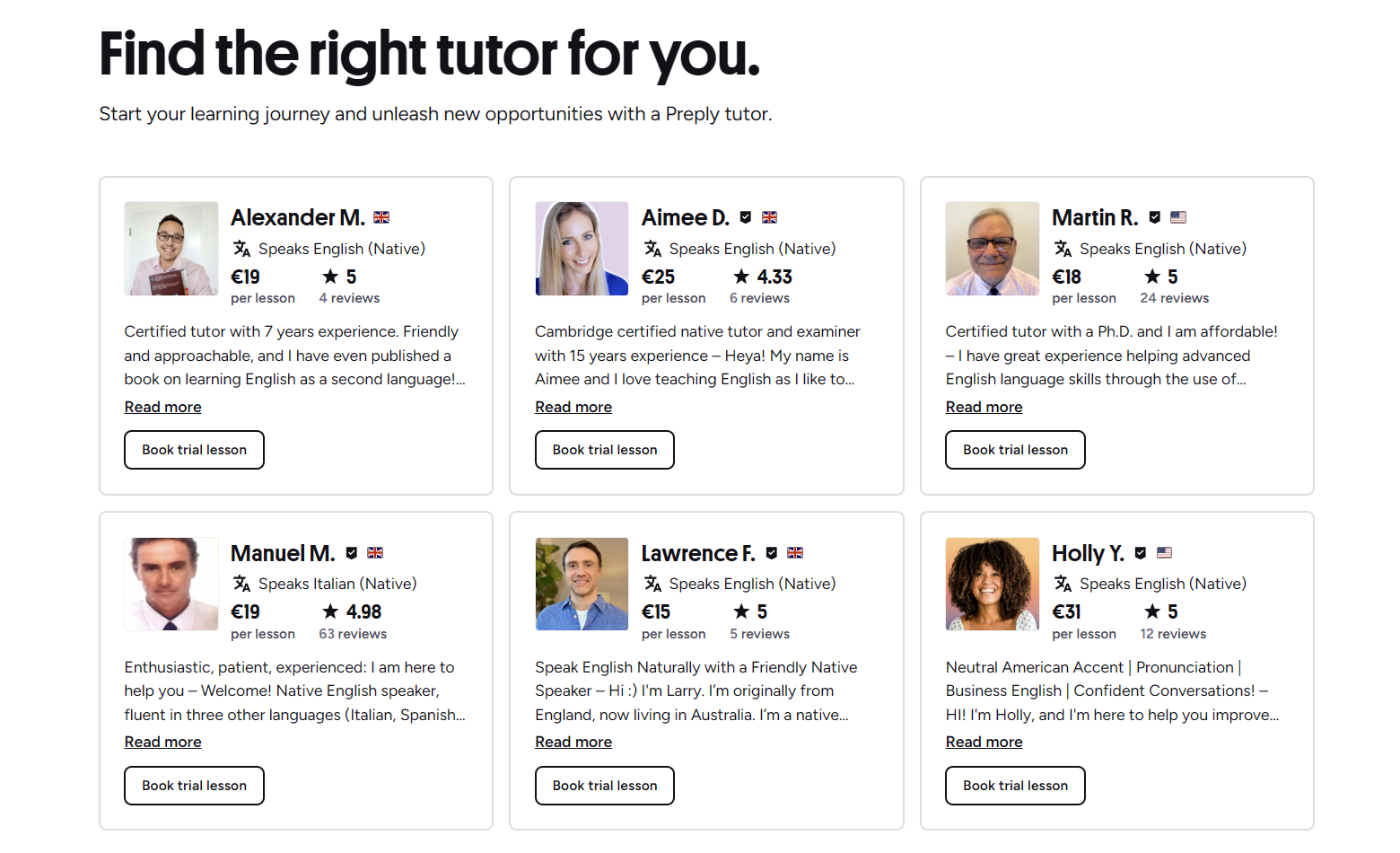
Preply connects students with tutors across dozens of languages and subjects. The platform hosts thousands of instructors, which means choice is abundant but also overwhelming if you don't know how to filter effectively. This guide walks through the entire process from creating an account to booking your first lesson, with practical tips for evaluating profiles and avoiding common pitfalls.
Contents
- 1. Getting Started with Preply's Tutor Search
- 2. Understanding Preply's Tutor Marketplace
- 3. Using Search Filters to Narrow Options
- 4. Evaluating Tutor Profiles and Reviews
- 5. Booking Your First Trial Lesson
- 6. Managing Your Learning Schedule
- 7. Preply Mobile App for Tutor Search
- 8. Preply for Business and Team Learning
- 9. Comparing Tutors Across Languages
- 10. Common Mistakes When Choosing a Tutor
- 11. Progress Tracking and Long-Term Fit
- 12. Cost Considerations and Budget Planning
- 13. Technical Requirements and Troubleshooting
- 14. Alternatives and When to Consider Them
- 15. Final Assessment of Preply Tutor Search
The search experience differs slightly between desktop and mobile, but the core logic stays the same. You start by selecting a language or subject, then apply filters for price, availability, tutor origin, specialties, and ratings. Each filter narrows the pool, and the order you apply them matters less than understanding what each one actually tells you about a tutor's fit.
Getting Started with Preply's Tutor Search
Before you can search, you need an account. Sign-up takes a minute using email, Google, or Facebook. Once logged in, the homepage prompts you to choose a language or subject. This initial choice sets the tutor pool you'll see. You can change it later, but starting with the right category saves time.
After selecting a language, you land on the tutor listing page. The default sort shows recommended tutors first, which blends rating, responsiveness, and completion rate. You can switch to sorting by price, rating, or availability. Each sort order surfaces different instructors, so it's worth toggling between them early in your search.
The filter sidebar on desktop sits on the left. On mobile, it's accessible through a filter button at the top. Key filters include hourly rate range, tutor's native language, availability time slots, specialties like test prep or business language, and whether the tutor teaches kids or adults. You can also filter by trial lesson price, which varies by tutor.
Understanding Preply's Tutor Marketplace
Preply doesn't employ tutors directly. Instructors create profiles, set their own rates, and manage their schedules. The platform takes a commission that decreases as a tutor completes more lessons. This model means tutor quality varies more than on platforms with stricter vetting, but it also means more price points and teaching styles are available.
Tutors fall into broad categories: professional teachers with certifications and classroom experience, native speakers offering conversation practice, and specialists in exam prep like IELTS or TOEFL. Many tutors blend categories. A certified teacher might also offer casual conversation. The profile badges and description usually make the primary focus clear.
The platform shows tutor stats prominently: total lessons taught, student count, average rating, and response time. These numbers matter, but they don't tell the whole story. A tutor with 500 lessons and a 4.9 rating might be excellent, or they might teach mostly beginners who don't yet know what good instruction looks like. Context matters.
Using Search Filters to Narrow Options
Filters are where most students either find their ideal tutor quickly or waste hours scrolling. Start with your non-negotiables. If your budget is $15–20 per hour, set that range immediately. If you need morning lessons in your time zone, set availability before looking at profiles. Each filter applied reduces the pool, making evaluation manageable.
The native speaker filter deserves attention. Checking it shows only tutors who list the target language as native. This doesn't guarantee teaching ability, but it ensures authentic pronunciation and cultural fluency. Unchecking it surfaces fluent non-natives who often have stronger grammar explanations because they learned the language systematically.
- Set price range first — prevents falling for tutors outside your budget
- Choose availability windows that match your actual schedule
- Use specialty filters only if you need exam prep, business vocabulary, or kids' lessons
- Toggle native speaker on and off to compare both pools
- Sort by rating after filtering to see top-rated options in your criteria
The trial lesson filter is useful but often misunderstood. Every tutor offers a trial, but the price varies. Some offer 50% off their regular rate, others charge full price. The filter shows tutors with discounted trials, which can save money during your search phase. Just remember the trial price doesn't reflect the ongoing rate.
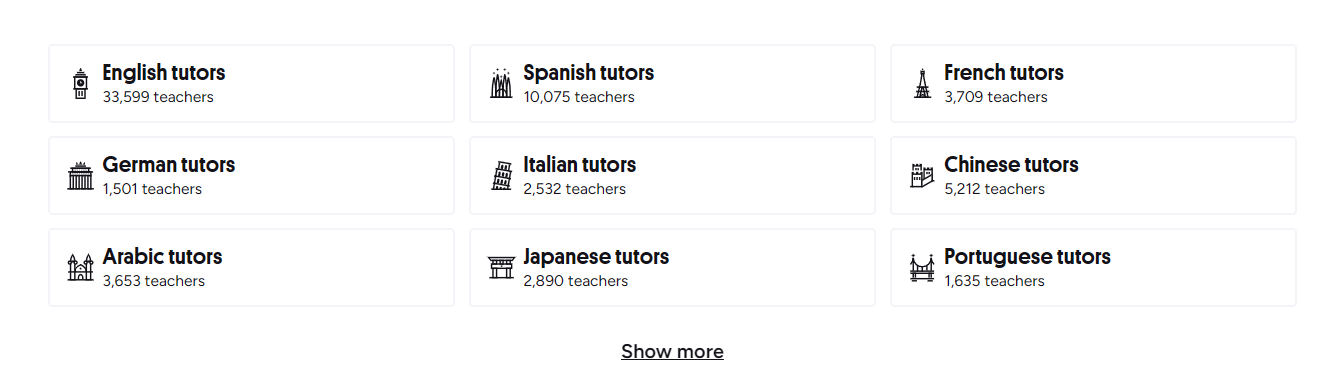
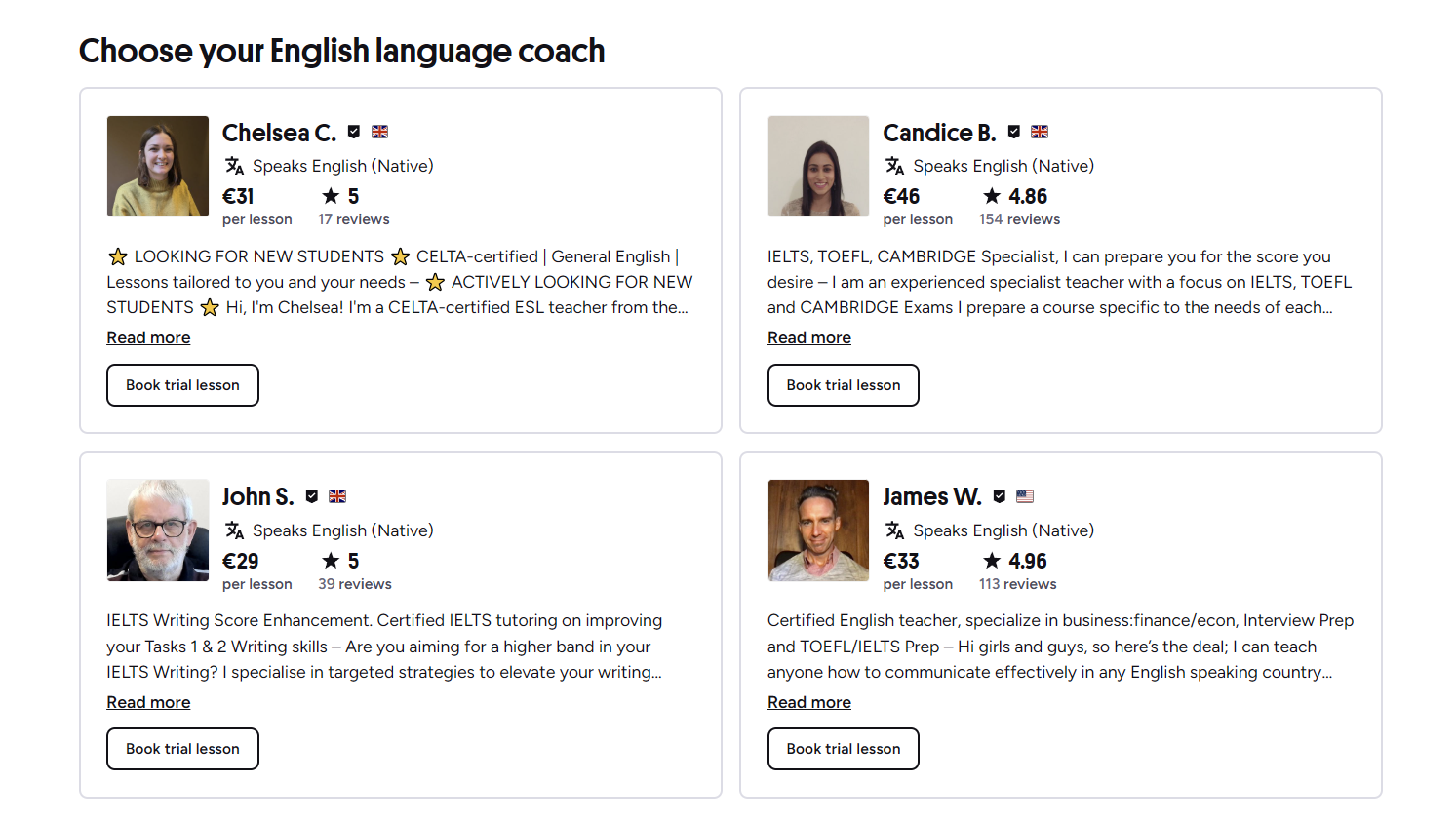
After applying filters, scan the tutor cards. Each shows name, photo, rating, lesson count, hourly rate, and a one-line tagline. The tagline often summarizes the tutor's angle: "IELTS expert," "Conversation specialist," "Kids welcome." Don't click every card. Open 5–7 that match your criteria in new tabs, then compare them side by side.
Evaluating Tutor Profiles and Reviews
The profile page is where you decide whether to book a trial. Start with the video introduction if one exists. A 60-second video tells you more about teaching style and personality than paragraphs of text. Watch for clarity, pacing, and whether the tutor speaks naturally or reads a script.
Read the "About me" section for teaching philosophy. Good profiles explain how they structure lessons, what materials they use, and how they track progress. Vague statements like "I make learning fun" without specifics are a weak signal. Look for concrete details: "I use a shared Google Doc for notes," "Homework assigned after each lesson," "Progress test every 10 lessons."
Reviews need careful reading. Sort by most recent first. A tutor with 200 reviews and a 4.8 average might have recent 3-star reviews mentioning cancelled lessons or poor preparation. Look for patterns in negative feedback. One complaint about timezone confusion is different from five complaints about last-minute cancellations.
Pay attention to review length and specificity. "Great teacher!" means less than "Maria prepared custom exercises for my medical Spanish needs and corrected my pronunciation patiently." Detailed reviews from students with similar goals to yours are the strongest signal. Check if reviewers mention the tutor's reliability, preparation, and adaptability.
The tutor's calendar shows real-time availability. Green slots are open. Click a slot to see the exact time in your zone. Some tutors block large chunks for other commitments, leaving only a few scattered hours. If their available times don't match yours consistently, move on. Scheduling friction kills momentum.
Booking Your First Trial Lesson
Once you've narrowed to 2–3 tutors, book trials with each. Preply's trial is a single lesson at the tutor's trial rate. You pay for the trial upfront. If you don't like the tutor, you can request a refund or credit for another tutor's trial, but only once. This policy means you should be reasonably confident before booking.
Before the trial, message the tutor through Preply's chat. Share your level, goals, and any specific needs. A good tutor responds within a few hours with questions or a rough plan. Silence or a generic "looking forward to it" suggests low engagement. This pre-trial exchange is part of the evaluation.
- Message tutors before booking — gauge responsiveness and interest
- Share your CEFR level if known, or describe what you can do
- Mention specific goals: exam date, job interview, travel timeline
- Ask about materials: textbooks, custom slides, conversation topics
- Confirm the trial includes actual teaching, not just assessment
During the trial, evaluate the tutor's listening-to-speaking ratio. You should speak 60–70% of the time in a conversation-focused lesson. The tutor should correct errors without interrupting flow, note recurring mistakes, and give you a clear takeaway. If the trial feels like a sales pitch or casual chat without structure, that's data.
Managing Your Learning Schedule
After a successful trial, you'll book regular lessons. Preply sells lessons in packages: 5, 10, 15, or 20 hours. Larger packages reduce the per-hour cost slightly. You can schedule recurring weekly slots or book individually. Recurring slots guarantee your time but require commitment. Individual booking offers flexibility but risks losing your preferred time.
The platform sends reminders 24 hours and 1 hour before each lesson. You can reschedule or cancel up to 4 hours before without penalty. Within 4 hours, the lesson is charged. This policy is stricter than some competitors, so set calendar alerts. Tutors have the same cancellation policy, which protects your time too.
Preply's classroom runs in-browser with video, chat, screen share, and a shared whiteboard. No download required. The whiteboard is basic — fine for text and simple diagrams, not for complex math or code. For technical subjects, many tutors use Google Docs or external tools alongside the classroom. Test your mic and camera before the first paid lesson.
Preply Mobile App for Tutor Search
The mobile app mirrors desktop search but condenses the filter sidebar into a bottom sheet. Swipe up to access filters, swipe down to return to results. Tutor cards stack vertically. The app is convenient for browsing during commute or breaks, but the smaller screen makes comparing multiple profiles harder. I prefer desktop for initial search, app for managing upcoming lessons.
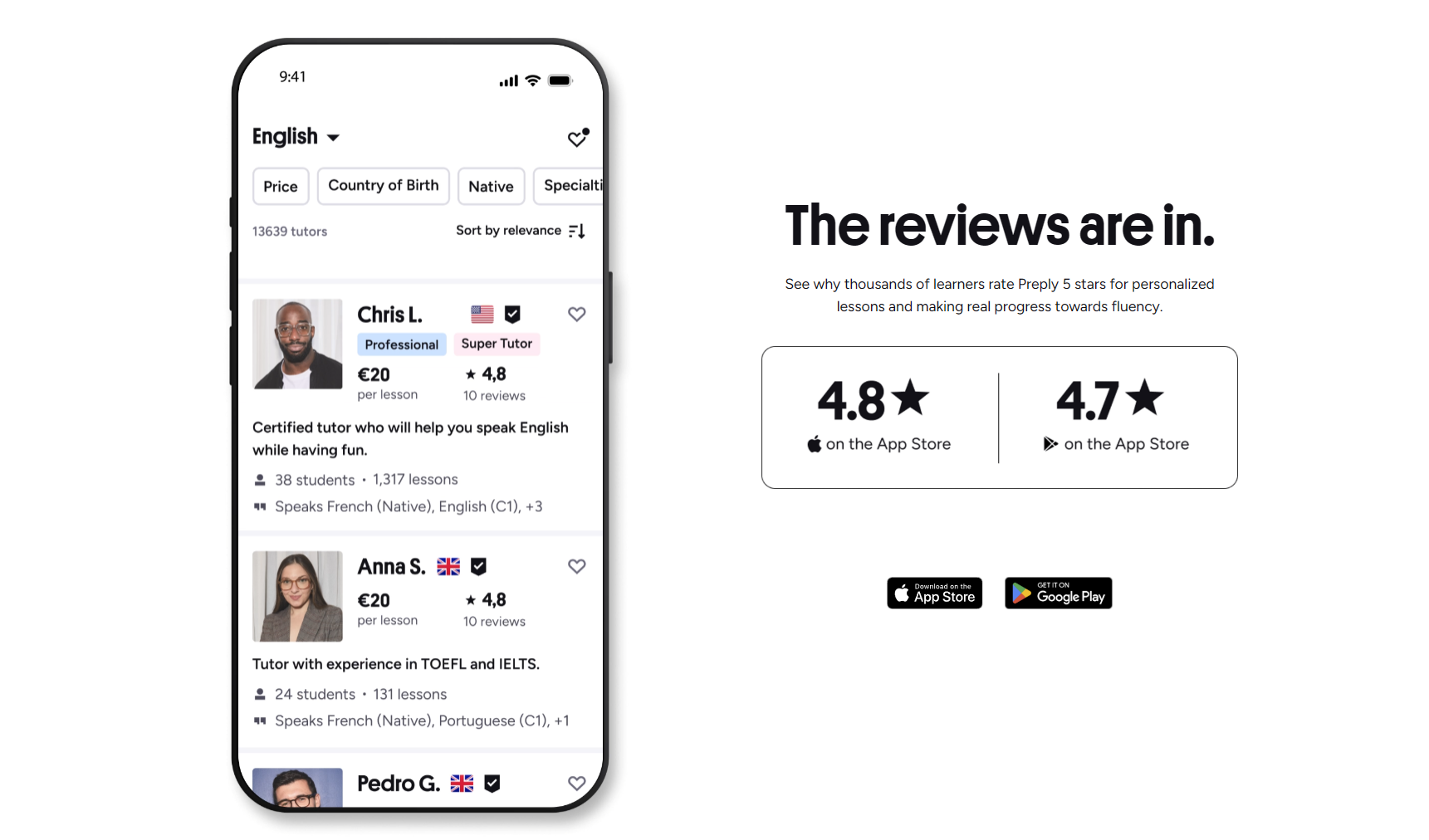
Push notifications on mobile cover lesson reminders, tutor messages, and package expiry warnings. You can reply to tutors directly from notifications. The app also supports offline mode for reviewing lesson notes and vocabulary lists, though you need connection for video lessons. If you travel frequently, the app's timezone handling is reliable — it shows lesson times in your current zone automatically.
Preply for Business and Team Learning
Preply Business adds admin dashboards, centralized billing, and progress reporting for companies. The tutor pool is the same, but business accounts get dedicated support and volume discounts starting around 10+ seats. If your employer offers language training, ask if they have a Preply Business account — it simplifies reimbursement and tracking.
For individual learners, the business features don't apply directly, but they indicate platform stability. Companies don't adopt tools with unreliable tutor supply or billing issues. The enterprise side also funds platform improvements that eventually reach individual users, like the progress tracking dashboard and vocabulary review system.
Comparing Tutors Across Languages
Preply covers 50+ languages. Popular ones like English, Spanish, French, German have hundreds of tutors each. Less common languages like Icelandic or Welsh might have fewer than ten. The search process is identical, but evaluation changes with tutor density. For high-density languages, you can be selective. For low-density, you may need to compromise on price, schedule, or teaching style.
Scroll horizontally to see all columns
| Language Tier | Examples | Typical Tutor Count | Price Range (USD/hr) | Selection Advice |
|---|---|---|---|---|
| Tier 1: Major | English, Spanish, French, German | 500+ | $10–40 | Filter aggressively; trial 3–4 tutors |
| Tier 2: Popular | Italian, Portuguese, Chinese, Japanese, Korean | 100–500 | $12–45 | Moderate filtering; trial 2–3 tutors |
| Tier 3: Niche | Arabic, Russian, Hindi, Turkish, Dutch | 30–100 | $15–50 | Prioritize availability and specialty match |
| Tier 4: Rare | Icelandic, Welsh, Basque, Maltese | Under 30 | $20–60 | Contact tutors before booking; expect limited slots |
Price correlates loosely with language tier and tutor credentials. English tutors span the widest range because supply is highest. A certified English teacher with 10 years experience might charge $35, while a native conversation partner charges $12. Both can be good choices depending on your needs. Don't assume higher price means better teaching — check the profile evidence.
Common Mistakes When Choosing a Tutor
The most common mistake is optimizing for the wrong variable. Students often pick the highest-rated tutor without checking if that tutor teaches their level or specialty. A tutor with 500 five-star reviews from beginners might be terrible for advanced business English. Match the tutor's student base to your level.
Another mistake: booking a package with a tutor you've only had one trial with. The trial shows a tutor's best behavior. Some tutors prepare extensively for trials then wing regular lessons. Take 2–3 lessons before committing to a package. Preply's refund policy allows this — you can get a refund on unused lessons if you cancel within a few days, but the process takes time.
- Choosing solely on rating without reading recent reviews
- Ignoring timezone compatibility — 6 AM lessons don't last
- Booking large packages before 3+ lessons with the same tutor
- Skipping the pre-trial message — misses responsiveness signal
- Filtering only native speakers and missing strong non-native teachers
- Not checking tutor's cancellation history in reviews
- Assuming all tutors use structured materials — many don't
A subtler mistake is sticking with a tutor who's "fine" but not great. The sunk cost of a 10-lesson package makes switching feel wasteful. But 10 hours with a mediocre tutor costs more in lost progress than the package price. If lessons feel repetitive, corrections are inconsistent, or the tutor cancels twice in a month, switch. Preply makes tutor changes straightforward.
The best tutor isn't the one with the most reviews. It's the one whose teaching style matches how you actually learn.
Progress Tracking and Long-Term Fit
Preply added a progress tracking feature that shows lesson count, hours completed, and a self-assessment slider for speaking, listening, reading, writing. Tutors can add notes after each lesson. The system works if both parties use it consistently. Many tutors skip the notes. You can maintain your own log in a spreadsheet or Notion page — date, tutor, topics covered, homework, what felt easy or hard.
Long-term fit depends on goal alignment. If you're preparing for a specific exam, you need a tutor who knows that exam's format and scoring. If you want conversational fluency, you need someone who guides discussion without dominating it. These are different skills. A tutor excellent at one may be weak at the other. Be honest about your primary goal when messaging tutors.
Cost Considerations and Budget Planning
Preply's pricing is transparent per lesson, but total cost depends on frequency. Two lessons per week at $20/hour is $160/month. Packages reduce this slightly: 20-hour package at $19/hour saves $20 over single lessons. There's no monthly subscription — you buy hours and use them at your pace. Hours expire after 12 months, which is generous compared to some platforms.
Trial lessons cost money. Budget for 3–5 trials at $5–25 each during your search phase. That's $15–125 before you start regular lessons. Factor this in. Some students skip trials to save money, then end up with a poor fit for 10 lessons. The trial cost is insurance.

Scroll horizontally to see all columns
| Lessons per Week | Hourly Rate | Monthly Cost (4 weeks) | 20-Hour Package Rate | Package Monthly Equivalent |
|---|---|---|---|---|
| 1 | $15 | $60 | $14 | $56 |
| 2 | $15 | $120 | $14 | $112 |
| 3 | $20 | $240 | $18 | $216 |
| 2 | $30 | $240 | $27 | $216 |
Preply occasionally runs promotions — 70% off first lesson for new users, or bonus hours on package purchases. These change frequently. Check the promotions page or wait for a banner on the homepage. The discount applies to the first package purchase, not individual lessons. If you're certain about a tutor, the promotion can save meaningful money on your first package.
Technical Requirements and Troubleshooting
Preply's classroom works on Chrome, Firefox, Safari, and Edge. Chrome is most stable. You need a webcam, microphone, and stable internet — 5 Mbps up/down minimum for video. The platform runs a quick connection test before each lesson. If it fails, switch to audio-only or reschedule. Mobile data works but drains battery fast; Wi-Fi is better for hour-long sessions.
Common issues: audio echo (fix: use headphones), video freeze (fix: lower video quality in settings), screen share not working (fix: grant browser permission). The classroom has a "report problem" button that logs the issue for support. Tutors can also end a lesson early if technical problems persist, and you won't be charged for the lost time if you report it.
Technical friction is the silent killer of language momentum. Test your setup once, then forget it exists.
Alternatives and When to Consider Them
Preply isn't the only option. italki has a similar model but often lower prices and a different tutor pool. Verbling focuses on certified teachers with higher minimum rates. Cambly specializes in English conversation with native speakers on demand — no booking needed. Each platform has trade-offs. Preply's strength is breadth: languages, subjects, price points, and scheduling flexibility all in one place.
If you need highly structured curriculum with progress guarantees, a language school or university course might serve you better. If you want the cheapest possible conversation practice, language exchange apps like Tandem or HelloTalk are free but require reciprocal time. Preply sits in the middle: paid, flexible, structured enough for progress, unstructured enough for personalization.
Final Assessment of Preply Tutor Search
Finding a tutor on Preply works well if you treat it like a hiring process rather than a purchase. Define your needs, filter aggressively, evaluate profiles critically, run paid trials with multiple candidates, then commit to a package only after 2–3 lessons confirm the fit. The platform gives you the tools — search filters, video intros, reviews, trial lessons, messaging — but the outcome depends on how thoroughly you use them.
The main friction points are the 4-hour cancellation window, trial lesson costs adding up during search, and the variance in tutor preparation. None are dealbreakers if you know them going in. For most language learners, Preply offers the best balance of choice, price transparency, and scheduling control. The tutor you find determines the experience more than the platform does.
Frequently Asked Questions
How many trial lessons should I take before choosing a tutor?
Take trials with 2–3 tutors minimum. One trial isn't enough to compare teaching styles. Three gives you a basis for comparison without excessive cost.
Can I get a refund if I don't like my tutor after the trial?
Preply allows one free tutor replacement if you're unsatisfied with your trial. You request it through support. After that, unused lessons in a package are refundable but the process takes several days.
Do tutors set their own trial lesson prices?
Yes. Some offer 50% off their regular rate, others charge full price. The trial price is shown on the tutor's profile and in search results when the trial filter is active.
What happens if my tutor cancels a lesson?
If a tutor cancels more than 4 hours before, you're not charged and can rebook. If they cancel within 4 hours, you get a full refund for that lesson plus a credit for a free replacement lesson.
Can I switch tutors mid-package?
Yes. Unused lessons in your package can be used with any tutor. You don't need permission or approval. Just book the next lesson with a different tutor.
How do I know if a tutor teaches my specific dialect or variant?
Check the tutor's profile for country of origin and any dialect mentions in their bio. Message them directly before booking — ask "Do you teach European Portuguese or Brazilian?" Most tutors specify.
Is Preply suitable for complete beginners?
Yes, many tutors specialize in beginners. Filter for "beginners" in specialties. Look for tutors who mention structured A1/A2 curricula, textbooks, or step-by-step programs in their profiles.