

Language Learning
How Preply Works: A Complete Guide for Students and Tutors
From finding a tutor to tracking progress, understand the platform's core features.
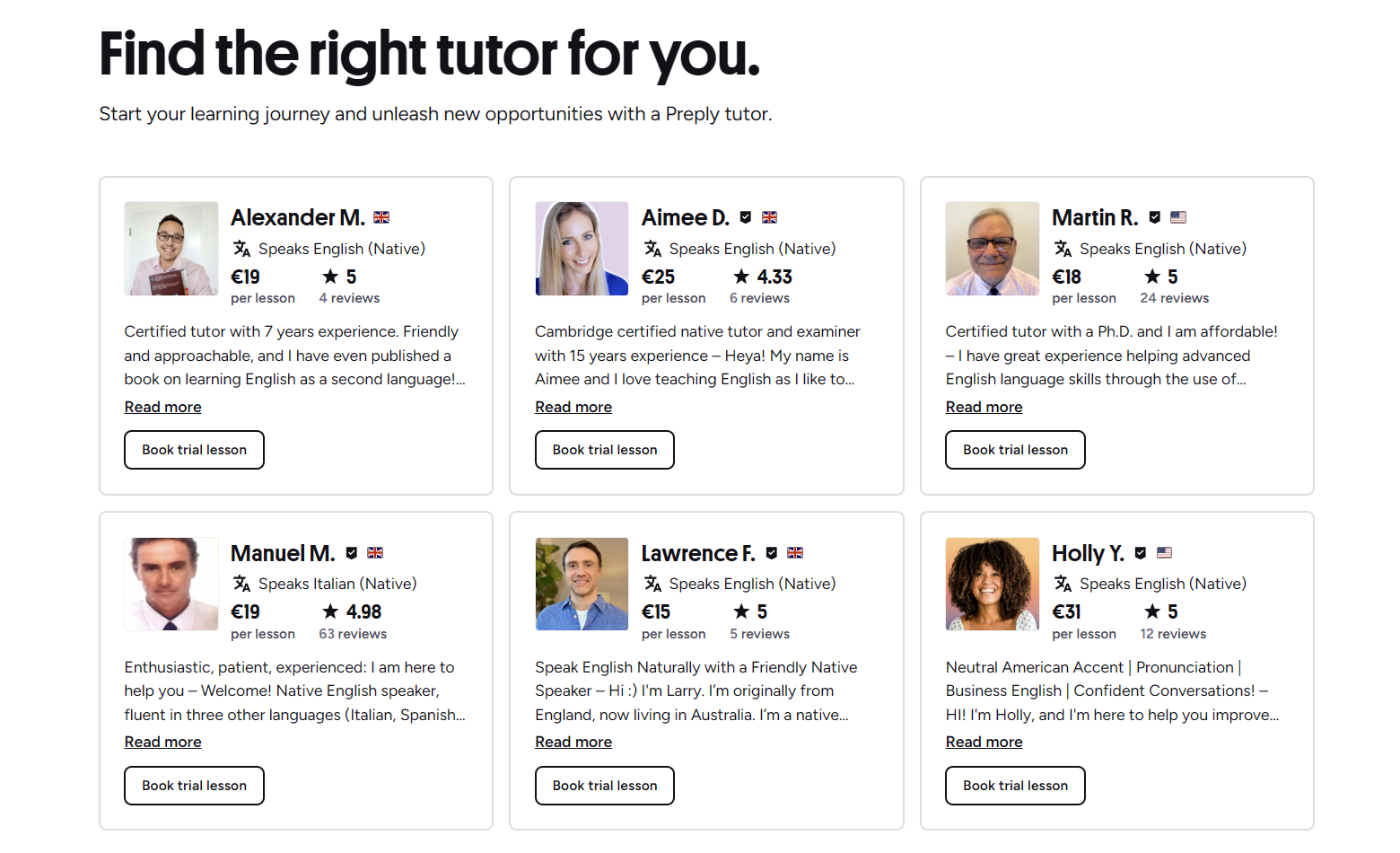
Preply is an online marketplace that matches learners with tutors for one‑on‑one lessons. The platform covers dozens of languages and a growing list of academic subjects, letting students choose instructors based on price, availability, teaching style, and specialty. Tutors set their own rates and schedules, while Preply handles the booking system, video classroom, and payment processing.
Contents
- 1. What Is Preply and Who Is It For
- 2. Getting Started as a Student
- 2.1. Creating an Account and Setting Goals
- 2.2. Finding the Right Tutor
- 3. Booking and Taking Lessons
- 3.1. Scheduling Your First Session
- 3.2. Lesson Format and Tools
- 4. Tracking Progress and Staying Motivated
- 4.1. Progress Reports and Feedback
- 4.2. Proven Progress Methodology
- 5. How Preply Works for Tutors
- 5.1. Becoming a Tutor on Preply
- 5.2. Managing Your Schedule and Earnings
- 6. Preply for Business and Teams
- 7. Pricing, Subscriptions, and Payments
- 7.1. Subscription Plans for Students
- 8. Mobile and Desktop Apps
- 8.1. Learning on the Go
- 9. Final Assessment of Preply's Platform
What Is Preply and Who Is It For
The service started with a focus on language learning and has expanded to include math, programming, test preparation, and more. It serves individual learners, corporate teams, and educational institutions. Students range from absolute beginners to advanced speakers polishing specific skills. Tutors include certified teachers, native speakers, and subject‑matter experts who want flexible online income.

Getting Started as a Student
Signing up takes a few minutes. You answer a short questionnaire about your goals, current level, preferred schedule, and budget. Preply then suggests a shortlist of tutors. You can also browse the full directory using filters such as language, price range, time zone, and tutor rating.
Creating an Account and Setting Goals
After registering with email or a social login, you define a learning goal — for example, conversational Spanish for travel, business English for presentations, or Python basics for a career switch. This goal helps the algorithm prioritize tutors who specialize in that area. You can update or add goals later from your dashboard.
Finding the Right Tutor
Each tutor profile shows a video introduction, hourly rate, availability calendar, student reviews, and a list of specialties. You can watch the intro to gauge teaching style and accent. Filters let you narrow results by native speaker status, certification, or experience with specific exams like IELTS or TOEFL.
- Use the search bar for a specific language or subject.
- Apply filters: price, availability, rating, native speaker.
- Watch tutor introduction videos.
- Read recent student reviews and ratings.
- Book a trial lesson to test compatibility.
Once you spot a promising tutor, you can send a message to ask about their approach before committing. Many tutors offer a discounted trial lesson, typically 30 or 60 minutes, so you can evaluate the fit without a full‑price commitment.
Booking and Taking Lessons
Booking is done through the tutor's calendar. You select an open slot, choose lesson length (30, 45, or 60 minutes), and confirm. The system automatically adjusts for time zones. You pay per lesson or buy a subscription package that lowers the per‑lesson cost.
Scheduling Your First Session
After booking, you receive a confirmation email and a calendar invite. The lesson takes place in Preply's built‑in video classroom, which works in Chrome, Firefox, and Safari without extra downloads. You can also join via the mobile app. A reminder notification arrives 10 minutes before start time.
Lesson Format and Tools
The classroom includes video, audio, chat, a shared whiteboard, and file sharing. Tutors can upload materials — PDFs, images, exercises — before or during the session. Screen sharing is available for technical subjects like coding. After the lesson, both parties can leave private notes visible only to themselves.
Scroll horizontally to see all columns
| Duration | Typical Use | Subscription Discount |
|---|---|---|
| 30 minutes | Quick practice, busy schedules | 5‑10% |
| 45 minutes | Standard balanced session | 10‑15% |
| 60 minutes | Deep dives, exam prep | 15‑20% |
If something comes up, you can reschedule or cancel up to four hours before the lesson without penalty. Later cancellations may be charged, depending on the tutor's policy. Preply's support team mediates disputes if a tutor misses a session or technical issues prevent the lesson.
Tracking Progress and Staying Motivated
Preply emphasizes measurable improvement. After each lesson, tutors can fill out a short progress report highlighting what was covered, vocabulary learned, and areas for review. Students see a cumulative dashboard with lesson count, hours spent, and a skill‑level estimate based on the Common European Framework of Reference (CEFR).
Progress Reports and Feedback
The progress report is optional but encouraged. It creates a record that helps both student and tutor adjust the learning plan. You can also request a formal level test at any time; Preply offers adaptive placement tests for English, Spanish, German, and several other languages.
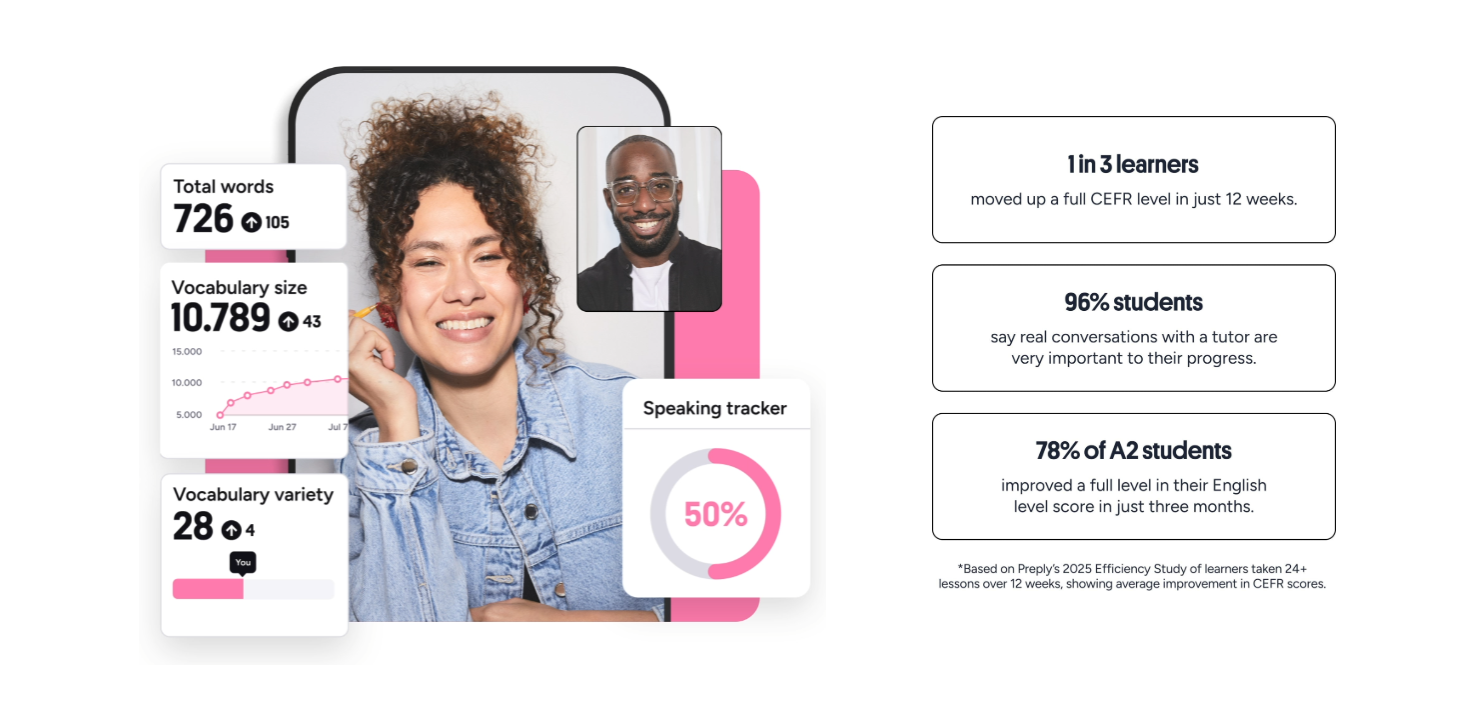
The dashboard also tracks streak days, upcoming lessons, and a personalized vocabulary list built from lesson notes. Some learners find the streak feature motivating; others ignore it. The data exports to PDF for sharing with employers or schools.
Proven Progress Methodology
Preply's "Proven Progress" framework structures learning around three pillars: regular speaking practice, personalized feedback, and goal‑oriented lesson planning. Tutors who follow the framework receive a badge on their profile. It's not a rigid curriculum — more a set of best practices that many tutors adopt naturally.
How Preply Works for Tutors
Tutors apply through a separate portal. The application asks for education, certifications, teaching experience, and a short video introduction. Preply reviews each application manually; approval typically takes a few business days. Once approved, tutors set their hourly rate, availability, and profile details.
Becoming a Tutor on Preply
There is no upfront fee to join. Preply takes a commission on each lesson, which decreases as you teach more hours on the platform. New tutors start at a higher commission tier. The exact percentages are shown in the tutor dashboard and can change with platform updates.
- Submit application with qualifications and intro video.
- Pass identity verification (ID document).
- Complete platform training modules.
- Set up calendar and pricing.
- Publish profile and start accepting students.
Managing Your Schedule and Earnings
Tutors control their calendar in 15‑minute increments. You can block time for breaks, holidays, or other commitments. The system sends booking notifications and allows you to accept or decline requests (though instant booking is an option). Earnings are tracked in real time; payouts occur twice a month via PayPal, Payoneer, or bank transfer.
Scroll horizontally to see all columns
| Total Hours Taught | Commission Rate |
|---|---|
| 0‑20 hours | 33% |
| 21‑100 hours | 28% |
| 101‑300 hours | 23% |
| 300+ hours | 18% |
Tutors also have access to a resource library with lesson plans, grammar guides, and activity templates. The community forum lets instructors share tips, ask questions, and discuss platform changes. Preply occasionally runs webinars on teaching online effectively.
Preply for Business and Teams
Companies can purchase team plans that centralize billing, provide admin dashboards, and allow managers to track employee progress. The business offering includes dedicated account management, custom reporting, and volume discounts. It's used for employee relocation, international expansion, and customer‑support language training.
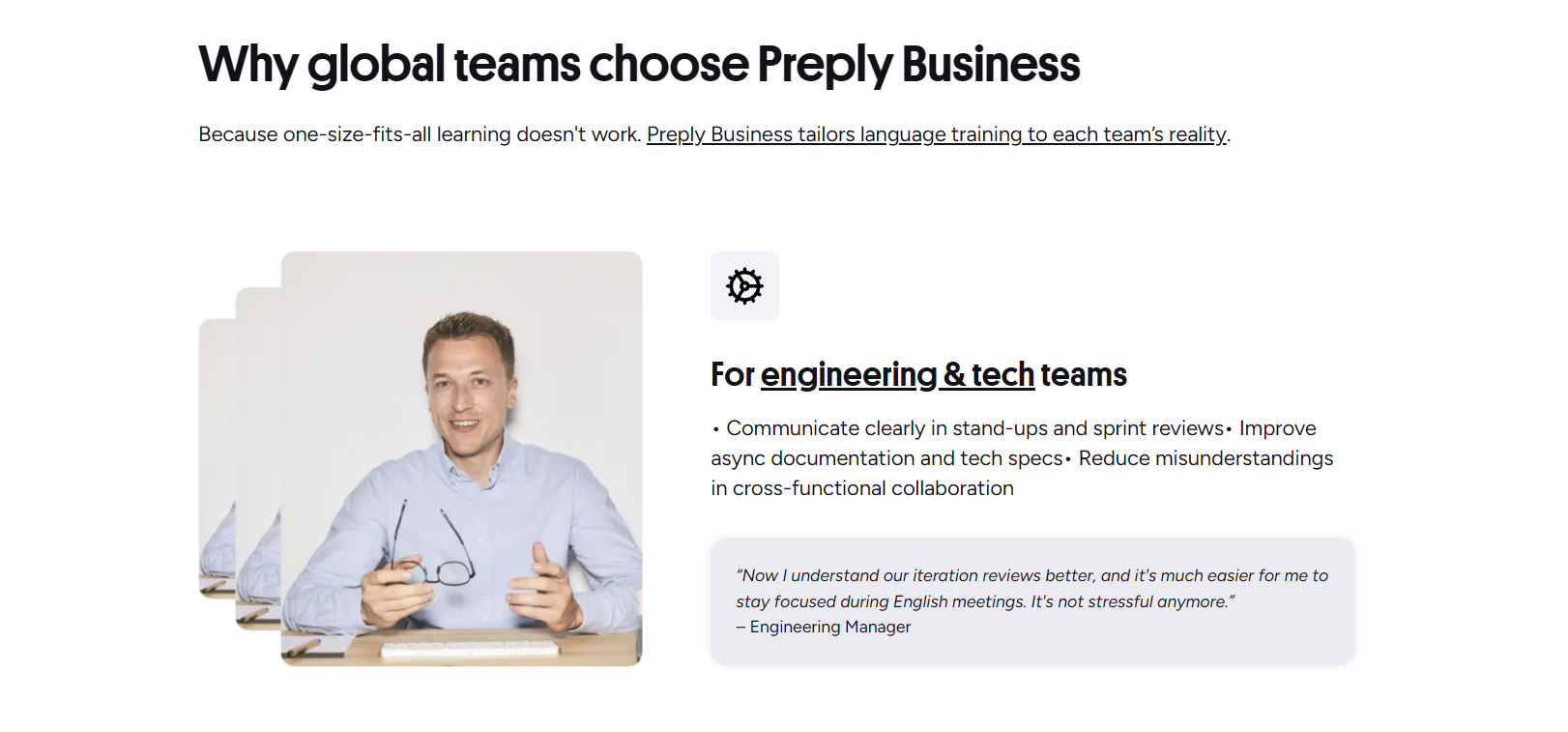
Employees receive individual accounts with the same tutor marketplace. Admins can set learning goals per employee or department, approve tutor selections, and export completion certificates. The platform integrates with some HR systems via API.
Pricing, Subscriptions, and Payments
Students pay per lesson or subscribe to a monthly plan. Subscriptions include a fixed number of lessons per month (4, 8, 12, or custom) at a reduced hourly rate. Unused lessons roll over to the next month up to a limit. You can pause or cancel anytime from the subscription settings page.
Subscription Plans for Students
The subscription model suits learners who want structure and savings. A typical 8‑lesson monthly plan might cost 15‑20% less than booking the same lessons individually. The exact price depends on the tutor's base rate. Preply occasionally runs promotions for new subscribers — check the promotions page or your email for codes.
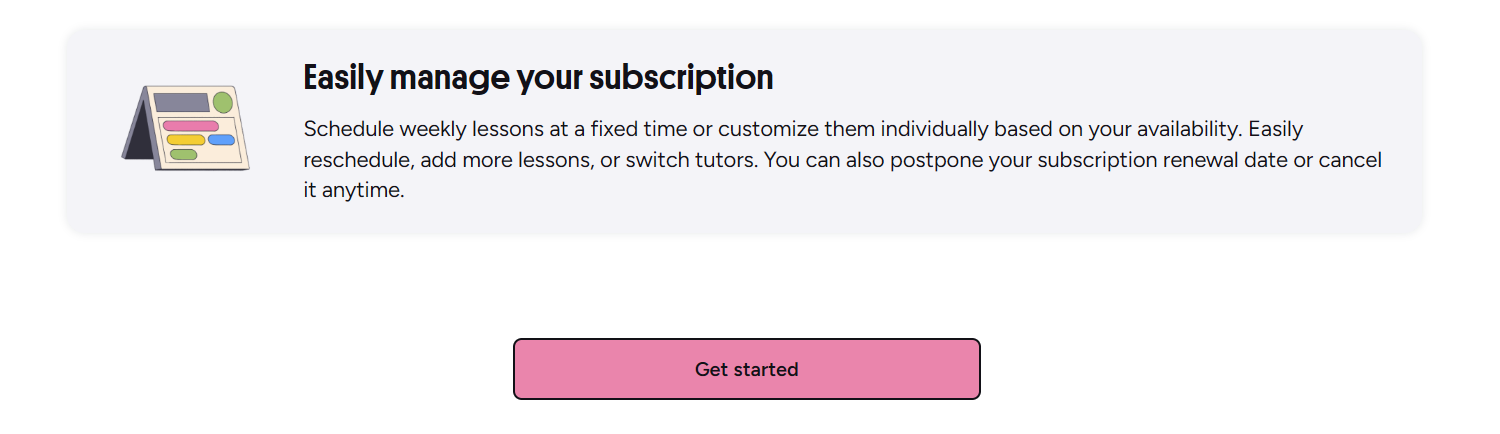
Payments accept major credit cards, PayPal, Apple Pay, and Google Pay. In some regions, local methods like iDEAL or Boleto are available. Refunds for unused subscription lessons are prorated; single‑lesson refunds follow the tutor's cancellation policy. Preply's support handles billing disputes.
Mobile and Desktop Apps
Preply offers iOS and Android apps that mirror the web experience. You can browse tutors, book lessons, join the video classroom, review notes, and track progress from your phone. The apps support push notifications for upcoming lessons and messages from tutors.
Learning on the Go
The mobile classroom is optimized for smaller screens: the whiteboard collapses into a drawer, and chat stays accessible. You can switch between front and rear cameras, useful for showing written work. Offline mode lets you review saved vocabulary and lesson notes without internet.
- Book and manage lessons from anywhere.
- Join video lessons with one tap.
- Access vocabulary flashcards offline.
- Receive instant messages from tutors.
- Track streak and progress charts.
The app makes it realistic to fit a lesson into a lunch break or commute — consistency becomes easier when the classroom is in your pocket.
Final Assessment of Preply's Platform
Preply delivers a flexible, tutor‑centric marketplace that works well for self‑directed learners who value choice and personal rapport. The platform's strengths are its large tutor pool, integrated classroom tools, and progress‑tracking features. The commission structure can be steep for new tutors, and the subscription model may not suit sporadic learners. For businesses, the admin dashboard and reporting add real value. Overall, it's a solid option if you're willing to invest time in finding the right tutor and maintaining a regular schedule.
Frequently Asked Questions
How does Preply match me with a tutor?
After you set your goals and preferences, Preply's algorithm suggests tutors who match your language, budget, schedule, and specialty needs. You can also browse the full directory and apply your own filters.
Can I try a lesson before committing to a subscription?
Yes. Most tutors offer a discounted trial lesson (usually 30 or 60 minutes) so you can evaluate their teaching style before buying a package.
What happens if my tutor cancels a lesson?
If a tutor cancels less than four hours before the scheduled time, you receive a full refund or credit. Preply's support team can also help reschedule with another tutor if needed.
How are tutor commissions calculated?
Preply takes a percentage of each lesson fee. The rate starts higher for new tutors and decreases as they accumulate teaching hours on the platform. Exact tiers are visible in the tutor dashboard.
Is there a mobile app for taking lessons?
Preply provides iOS and Android apps that include the full video classroom, booking, messaging, and progress tracking. You can join lessons and review materials offline.
Can I use Preply for corporate language training?
Yes. Preply for Business offers team plans with centralized billing, admin dashboards, progress reporting, and volume discounts. It integrates with some HR systems via API.
What payment methods does Preply accept?
Credit cards, PayPal, Apple Pay, Google Pay, and several region‑specific options like iDEAL or Boleto. Subscriptions auto‑renew monthly unless paused or cancelled.