

Language Learning
Preply Learning Progress Tracking: How It Works
Understanding the progress tracking features that help you measure improvement.
Preply learning progress tracking gives students a way to see measurable improvement across their language journey. The platform combines automated level tests, tutor assessments, and a student dashboard that aggregates data from every lesson. Unlike simple attendance trackers, this system attempts to quantify speaking confidence, vocabulary growth, grammar accuracy, and listening comprehension through multiple data points collected over time.
Contents
- 1. What Preply Progress Tracking Actually Does
- 2. The Initial Assessment: Level Tests and Goal Setting
- 3. How Tutors Measure Progress During Lessons
- 4. The Student Dashboard: What You See
- 5. Preply's Proven Progress Framework
- 6. Tracking Speaking, Listening, Reading, and Writing Separately
- 7. Business and Team Progress Reporting
- 8. Mobile App Progress Features
- 9. Limitations and What's Missing
- 10. Comparing Preply's Tracking to Other Platforms
- 11. Practical Tips for Getting Accurate Progress Data
- 12. Using Progress Data to Adjust Your Learning Plan
- 13. When Progress Stalls: Reading the Signals
- 14. Privacy and Data Control
- 15. Final Assessment of Preply Learning Progress Tracking
Most language learners struggle to gauge their own progress. You might feel stuck one week and fluent the next, depending on the topic or your energy level. Preply addresses this by building checkpoints into the learning cycle: an initial placement test, periodic re-assessments, tutor feedback after each session, and a visual dashboard that plots trends. The goal is to replace subjective feelings with observable patterns.
The tracking works across all languages offered on the platform — English, Spanish, French, German, and dozens more. Whether you're preparing for IELTS, learning business Japanese, or picking up conversational Portuguese for travel, the same underlying framework applies. Tutors customize the focus areas, but the measurement structure remains consistent.
What Preply Progress Tracking Actually Does
At its core, the system captures three types of data. First, automated assessments: the English level test (and equivalents for other languages) places you on the CEFR scale from A1 to C2. Second, tutor evaluations: after each lesson, tutors rate specific competencies — pronunciation, grammar range, vocabulary depth, fluency, and comprehension. Third, behavioral metrics: lesson frequency, homework completion, vocabulary review activity, and time spent in the platform's practice tools.
These inputs feed a progress algorithm that generates a trajectory line on your dashboard. The line doesn't just go up; it can plateau or dip when lessons become irregular or when you tackle harder material. That honesty is useful. A steadily climbing chart feels good, but a flat segment tells you something real — perhaps you've moved from beginner gains to intermediate refinement, where progress feels slower but runs deeper.

The Initial Assessment: Level Tests and Goal Setting
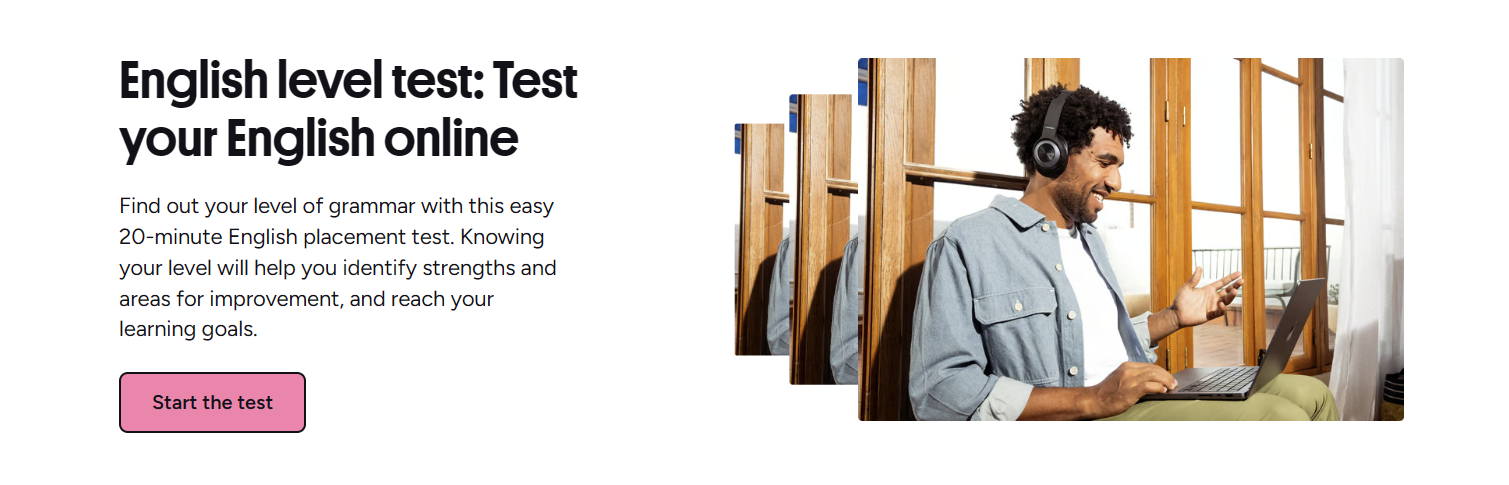
Every new student starts with a placement test. For English, this is a 20-minute adaptive exam covering grammar, vocabulary, reading, and listening. The result places you on the CEFR framework — A1 (beginner) through C2 (mastery). Other major languages have similar tests; less common languages may rely on a tutor's live assessment during the trial lesson.
The test isn't perfect. Adaptive algorithms can misplace you if you guess well on multiple choice or freeze on a listening section. Most tutors treat the initial score as a starting hypothesis, not a verdict. During your first few lessons, they'll probe the edges of that level — pushing slightly harder material to see where you actually land. This human calibration matters more than the raw number.
Goal setting happens alongside assessment. You tell the platform why you're learning: exam preparation, business communication, travel, academic study, or general fluency. That goal tag shapes which metrics the dashboard emphasizes. An IELTS candidate sees writing and speaking bands; a business learner sees meeting simulation scores and email clarity ratings. The same underlying data gets filtered differently.
You can retake the level test every 30 days. Preply recommends waiting at least 20 hours of lesson time between attempts for meaningful change. The re-test compares your new score against the baseline, showing delta per skill area. Some students retest monthly for motivation; others wait until they feel a genuine shift. Both approaches work if you're consistent about lesson attendance.
How Tutors Measure Progress During Lessons
Tutor assessments form the richest data layer. After each lesson, tutors complete a brief evaluation rating five competencies on a 1–5 scale: speaking fluency, grammatical accuracy, vocabulary range, pronunciation clarity, and listening comprehension. They also add qualitative notes — specific errors corrected, breakthroughs observed, homework assigned. These notes don't appear in the algorithm but remain visible to you and future tutors.
The rating scale has defined anchors. A 3 in vocabulary means "uses sufficient range for familiar topics with some circumlocution." A 4 means "uses wide range including idiomatic expressions naturally." Tutors receive calibration guidelines, but interpretation varies. One tutor's 4 might be another's 3.5. The platform averages ratings across your last 10 lessons to smooth individual variance, which helps but doesn't eliminate subjectivity.
Scroll horizontally to see all columns
| Rating | Speaking Fluency | Grammar Accuracy | Vocabulary Range |
|---|---|---|---|
| 1 | Frequent pauses, short utterances | Basic errors impede meaning | Very limited, repetitive |
| 2 | Short phrases, hesitation | Frequent errors on simple structures | Basic everyday words only |
| 3 | Connected speech on familiar topics | Good control of simple structures | Sufficient for familiar topics |
| 4 | Extended discourse, natural pace | Consistent control of complex structures | Wide range, idiomatic use |
| 5 | Effortless, nuanced expression | Near-native accuracy and flexibility | Precise, sophisticated, nuanced |
Tutors also track lesson-specific objectives. If you're working on past tense narratives, they'll note whether you produced target forms spontaneously or only with prompting. This granular data doesn't roll into the main dashboard but appears in lesson reports. Over weeks, patterns emerge — you might consistently nail grammar drills but freeze in free conversation. That distinction guides the next month's lesson planning.
The tutor's eye catches what algorithms miss: hesitation patterns, fossilized errors, and the gap between controlled practice and spontaneous use.
The Student Dashboard: What You See
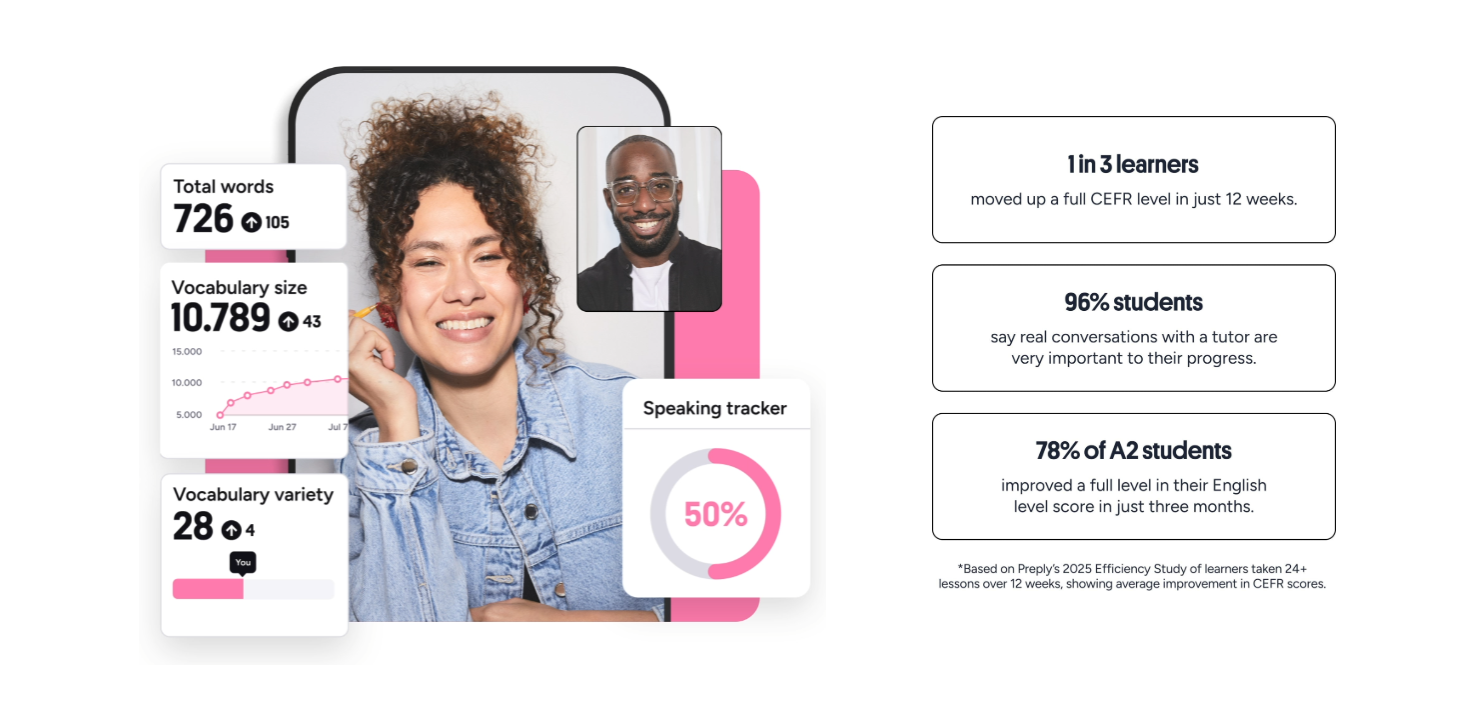
Your dashboard opens with a CEFR level badge — large, prominent, updated after each re-test. Below it, a trend line plots your composite score over time. Hover any point to see the breakdown: speaking, grammar, vocabulary, pronunciation, listening. The composite weights speaking and listening slightly higher for most goals, reflecting real-world communication priority.
Secondary panels show lesson consistency (a heat map calendar), vocabulary review streak (spaced repetition completion), and homework submission rate. These behavioral metrics correlate strongly with outcome data. Students who maintain 80%+ lesson attendance and complete 70%+ vocabulary reviews show 2.3x faster CEFR progression in Preply's internal analysis. The dashboard makes these levers visible.
You can filter the view by date range, skill category, or tutor. Switching tutors? The new tutor sees your full history — level test scores, all lesson ratings, vocabulary lists, and notes. Continuity doesn't depend on you briefing them. This matters when schedules change or you want a specialist for a specific skill like pronunciation or academic writing.
Preply's Proven Progress Framework
Preply markets a "Proven Progress" methodology built on three pillars: personalized learning plans, expert tutor matching, and measurable outcomes. The tracking system operationalizes the third pillar. Personalized plans come from the initial goal-setting and tutor's diagnostic lessons. Expert matching uses the platform's algorithm to suggest tutors whose specialties, availability, and teaching style align with your level and objectives.
The measurable outcomes piece relies on the CEFR framework as an external standard. Preply doesn't invent its own proficiency scale; it maps everything to CEFR. This means your progress translates to recognized benchmarks — universities, employers, and immigration authorities understand what B2 means. The platform claims average students advance one CEFR sub-level (e.g., B1 to B1+) per 50–60 lesson hours, assuming consistent attendance and homework completion.
That claim comes from aggregated platform data, not a controlled study. Variables include tutor quality, student motivation, language difficulty relative to native tongue, and outside exposure. A Spanish speaker learning Portuguese moves faster than a Japanese speaker learning English. The 50–60 hour figure is a rough median across all pairings. Your mileage will vary.
The framework also incorporates the Global Scale of English (GSE) for finer granularity. GSE runs 10–90 within each CEFR band, so you can see movement inside B1 (roughly GSE 43–58) before crossing to B2. This matters for learners stuck in the "intermediate plateau" — the dashboard shows micro-progress that the CEFR badge alone would hide.
Tracking Speaking, Listening, Reading, and Writing Separately
Language skills don't develop in lockstep. Most learners show a jagged profile: strong reading, weak speaking; great grammar, poor listening. Preply's skill breakdown makes this visible. Each lesson rating includes all five competencies, but tutors can weight them based on lesson focus. A conversation-heavy session yields richer speaking and listening data; a writing workshop yields grammar and vocabulary data.
The platform also offers dedicated skill practice tools outside lessons. The vocabulary review uses spaced repetition with audio, tracking retention intervals. Pronunciation exercises use speech recognition to score phoneme accuracy. Reading comprehension has graded texts with auto-graded questions. Writing prompts get tutor feedback asynchronously. Each tool feeds its skill metric independently.
Scroll horizontally to see all columns
| Skill | In-Lesson Tracking | Self-Study Tools | Assessment Method |
|---|---|---|---|
| Speaking | Tutor fluency rating per lesson | Pronunciation drills, speech recognition | CEFR speaking descriptors + tutor eval |
| Listening | Tutor comprehension rating | Audio lessons, dictation exercises | Level test listening section + tutor eval |
| Reading | Homework comprehension scores | Graded readers, comprehension quizzes | Level test reading + homework tracking |
| Writing | Tutor grammar/vocab ratings on writing | Writing prompts with tutor feedback | Writing samples scored on rubric |
| Grammar | Accuracy rating per lesson | Grammar exercises, error tracking | Level test grammar + tutor pattern notes |
| Vocabulary | Range rating per lesson | Spaced repetition flashcards | Retention rate + tutor range rating |
A common pattern: reading and listening improve fastest with self-study tools; speaking and writing need tutor interaction. The dashboard reflects this. If your reading line climbs but speaking flatlines, the prescription is clear — more conversation lessons, fewer flashcards. The data makes the trade-off explicit.
Balanced skill development rarely happens by accident. The dashboard shows you exactly which muscle isn't being exercised.
Business and Team Progress Reporting
Preply Business adds an administrative layer for companies tracking employee language training. Managers get a team dashboard showing aggregate progress, individual trajectories, utilization rates (lessons booked vs. allocated), and ROI metrics like cost per CEFR level gained. Reports can be scheduled weekly, monthly, or quarterly and exported as PDF or CSV.
The team view respects privacy boundaries. Managers see progress trends and engagement metrics, not lesson content or tutor notes. Employees control whether their individual dashboard is visible to managers or only to HR admins. This balance matters for adoption — learners who feel monitored disengage.
Enterprise plans include dedicated success managers who analyze team data quarterly and recommend program adjustments: shifting budget to higher-engagement learners, adding group workshops for common gaps, or changing tutor assignments. The data drives conversation, not punishment.
Mobile App Progress Features
The Preply mobile app (iOS and Android) mirrors the web dashboard but adds push notifications for lesson reminders, vocabulary review prompts, and progress milestones. The vocabulary review is particularly well-suited to mobile — five-minute sessions during commutes or waiting rooms keep the spaced repetition algorithm on schedule.
Offline mode lets you download vocabulary decks and lesson materials. Progress syncs when you reconnect. This matters for learners with unreliable connectivity or frequent travel. The app also includes a quick "practice now" button that serves a micro-lesson based on your current weak spots — a grammar drill, pronunciation exercise, or listening snippet — taking 2–3 minutes.
Push notifications are configurable. You can disable milestone celebrations if they feel gamified, or keep only lesson reminders. The app doesn't force a streak mentality — no daily login rewards, no leaderboards. This restraint is intentional. Language learning spans months; streak pressure creates dropout risk when life interrupts.
Limitations and What's Missing
No tracking system is complete. Preply's has blind spots worth knowing. First, outside exposure isn't captured. If you watch Spanish Netflix, chat with a Colombian neighbor, or read French news daily, your actual progress exceeds what Preply measures. The dashboard only sees platform activity. Tutors can note "evidence of outside practice" qualitatively, but it doesn't move the algorithm.
Second, the CEFR framework itself has resolution limits. The gap between B1 and B2 represents roughly 200–300 guided learning hours. A learner spending 50 hours on Preply might make real gains that don't cross a CEFR boundary. The GSE sub-scores help, but many students fixate on the badge. Tutors often need to redirect attention to skill-level improvements.
Third, tutor rating consistency remains imperfect. Despite calibration guidelines, a strict tutor and a generous tutor can differ by a full point on the same student. The 10-lesson rolling average mitigates this, but if you switch tutors frequently, the signal gets noisy. Staying with one tutor for 20+ lessons yields cleaner trend data.
Comparing Preply's Tracking to Other Platforms
Most language apps track streaks, XP points, and lesson completion. Duolingo, Babbel, and Busuu optimize for engagement metrics — daily active users, session length, retention. Preply optimizes for proficiency movement. The difference shows in what gets measured: human-rated competencies vs. auto-graded exercises.
Italki, Preply's closest competitor, offers no built-in progress tracking. Tutors there may create their own systems, but there's no platform-level dashboard, no standardized level test, no skill breakdown. You're on your own to document progress. This flexibility suits some learners; others want structure.
Traditional language schools (Alliance Française, Goethe-Institut, British Council) use formal exams — DELF, TestDaF, IELTS — as progress gates. These are high-stakes, infrequent, and expensive. Preply's approach is lower-stakes, continuous, and included in lesson cost. Neither is superior; they serve different decision points. Preply tracks the journey; official exams certify the destination.
Scroll horizontally to see all columns
| Platform | Standardized Assessment | Skill Breakdown | Tutor Ratings | External Benchmark |
|---|---|---|---|---|
| Preply | Yes (CEFR-aligned) | 5 competencies | Yes, structured 1–5 | CEFR, GSE |
| Italki | No | No | Tutor-dependent | None |
| Duolingo | Placement test only | Crown levels per skill | No | Duolingo Score (proprietary) |
| Babbel | Placement test only | Course completion % | No | CEFR course mapping |
| Language Schools | Official exams (DELF, etc.) | Exam module scores | Teacher grades | Official CEFR certification |
Practical Tips for Getting Accurate Progress Data
Data quality depends on habits. First, take the level test seriously — no dictionary, no pausing, honest effort. A inflated baseline makes real progress look smaller later. Second, stick with one tutor for at least 20 lessons before evaluating trends. Tutor-switching adds noise that takes months to average out.
Third, complete the vocabulary reviews. The spaced repetition algorithm only works if you feed it. Skipping reviews for weeks then cramming distorts the retention curve. Fourth, do the homework. Tutors assign writing, grammar, or listening tasks specifically to generate data points between lessons. Students who submit 80%+ homework show clearer progress lines.
Fifth, schedule the 30-day re-test on your calendar when you start. Treat it as a checkpoint, not a judgment. Sixth, review the dashboard with your tutor monthly. Ask: "What does this trend tell you about my priorities for next month?" The best tutors use the data to pivot lesson focus — more pronunciation drills, less grammar, added listening practice.
The dashboard is a mirror. It reflects what you put in. If the reflection looks static, the fix isn't a better mirror — it's changing what stands in front of it.
Using Progress Data to Adjust Your Learning Plan
The practical value of tracking appears when you act on it. Say your speaking rating has hovered at 2.8 for eight lessons while grammar climbed to 3.5. The data says: you understand structures but can't deploy them in real time. The adjustment: shift lesson ratio from 50/50 grammar-conversation to 20/80. Add timed speaking drills. Record yourself weekly. Re-check in four weeks.
Or suppose vocabulary range is 3.2 but retention rate on flashcards dropped from 85% to 60%. The algorithm is showing interference — too many new cards, not enough review. The fix: pause new card intake for two weeks, increase review frequency, then resume at half the previous new-card rate.
These micro-adjustments compound. A learner who reviews data monthly and makes one targeted change per cycle outperforms a learner who follows a static plan, even if both spend identical hours. The tracking system enables this agility. Without it, you're guessing.
When Progress Stalls: Reading the Signals
Plateaus are normal. The intermediate plateau (B1–B2) is notorious — learners feel stuck for months despite regular study. The dashboard helps distinguish three stall types. Type 1: flat composite with rising lesson count. You're showing up but not advancing. Usually means lessons lack challenge or focus. Type 2: flat composite with dropping lesson count. Life happened. The fix is scheduling, not methodology. Type 3: rising composite but flat speaking. You're improving passively (reading, listening) but not actively producing.
Each type demands a different response. Type 1 needs tutor conversation: "I'm attending but not progressing — what should we change?" Type 2 needs calendar protection: block lesson times, reduce frequency if needed but keep it regular. Type 3 needs output pressure: more speaking tasks, fewer input activities, maybe a speaking-specialist tutor for a month.
The dashboard also flags regression. A drop of 0.3+ in any skill over two consecutive rating periods warrants investigation. Common causes: tutor change (new rater, different standards), reduced lesson frequency, health or stress factors, or genuine skill decay from disuse. Don't panic — diagnose first.
A plateau isn't failure. It's the landscape leveling out before the next climb. The dashboard just tells you where you are on the trail.
Privacy and Data Control
Progress data belongs to you. Preply's privacy policy lets you export all tracking data — level test history, lesson ratings, vocabulary logs, dashboard snapshots — as JSON or CSV. You can delete your account and request full data erasure under GDPR. Tutors see your history while active; after you stop lessons with them, access reverts to platform-level anonymized aggregates.
For business plans, the data controller is the employer. Employees should review their company's Preply Business agreement to understand what managers see. The platform default shows managers engagement and trend data, not lesson content. But admins can configure visibility. Know your settings.
Final Assessment of Preply Learning Progress Tracking
Preply's progress tracking is the most comprehensive system among tutor-marketplace platforms. It combines standardized assessment, structured tutor ratings, behavioral metrics, and skill-level breakdowns into a single dashboard that updates continuously. For self-directed learners, it provides the structure that pure marketplace models lack. For tutor-guided learners, it creates a shared language for planning and adjustment.
The system has real limitations: tutor rating variance, CEFR granularity gaps, no capture of outside practice, and a proprietary algorithm that isn't independently validated. But as a practical tool for making weekly decisions — what to practice, whether to switch tutors, when to retest — it works. The data is actionable, not just decorative.
If you're evaluating Preply against alternatives, the tracking system is a genuine differentiator. Italki has none. Apps have gamified proxies. Schools have high-stakes exams. Preply sits in the middle: continuous, proficiency-aligned, tutor-informed, and included. For learners who want measurable progress without formal exam pressure, it's the most complete option currently available.
Frequently Asked Questions
How often should I retake the Preply level test?
Preply recommends every 30 days minimum, ideally after 20+ lesson hours. Monthly retesting works for motivated learners; quarterly is fine for casual pacing.
Can I see my progress data if I switch tutors?
Yes. Your full history — level tests, all lesson ratings, vocabulary data, tutor notes — transfers automatically to any new tutor on the platform.
Does the dashboard track languages other than English?
Yes. Major languages (Spanish, French, German, etc.) have CEFR-aligned level tests and skill tracking. Less common languages use tutor live assessment for initial placement.
How accurate are tutor ratings compared to official exams?
Tutor ratings correlate with CEFR but aren't certified. They're useful for trend tracking and lesson planning. For official certification, you still need IELTS, DELF, TestDaF, etc.
What happens to my progress data if I cancel my subscription?
Data is retained per Preply's policy. You can export it anytime. Account deletion triggers full erasure request under GDPR. Reactivating later restores your history.
Can I use Preply progress data for employer or university requirements?
Preply provides CEFR-aligned reports and completion certificates, but these aren't official exam certificates. Some employers accept them for internal programs; universities typically require IELTS, TOEFL, or equivalent.
Why does my speaking score fluctuate between tutors?
Rating variance of ±0.5 is normal across tutors due to calibration differences. The 10-lesson rolling average smooths this. Staying with one tutor 20+ lessons gives the cleanest trend.