

Language Learning
Preply English Tutors for Kids: A Parent's Guide
Everything parents need to know about choosing an online English tutor for children on Preply.
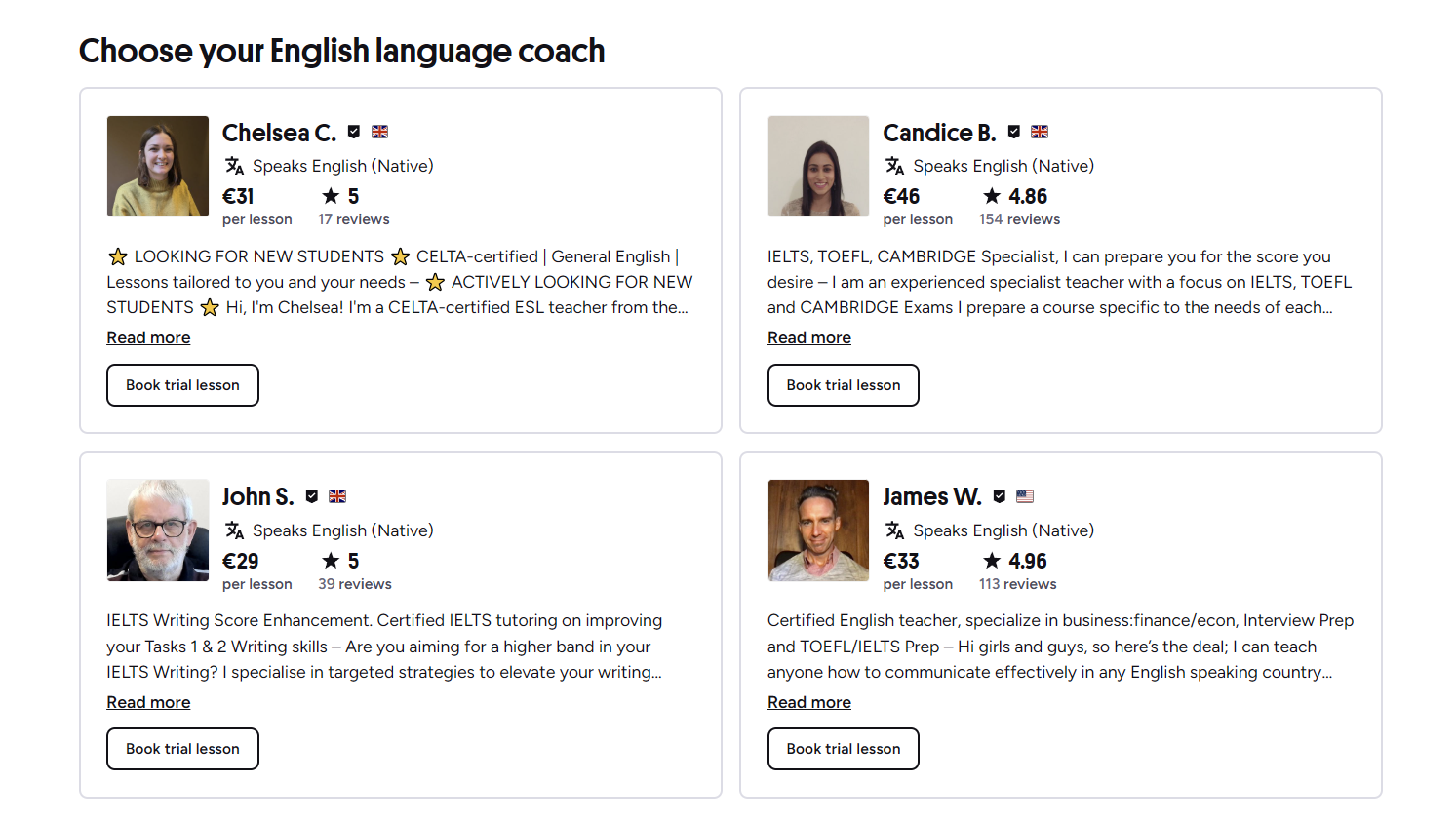
Finding an English tutor for a child used to mean driving across town after school or squeezing a lesson into a weekend schedule. Preply changes that by putting hundreds of tutors on a screen, available at times that fit family life. The platform is built for one‑on‑one video lessons, and a large portion of its tutor base works specifically with children. This guide walks through how the service works for kids, what parents should watch for, and how to get the most out of the experience.
Contents
- 1. How Preply Works for Children
- 2. Finding the Right Tutor for Your Child
- 3. Lesson Format, Tools, and Duration
- 4. Tracking Progress and Getting Feedback
- 5. Pricing, Packages, and Hidden Costs
- 6. Safety, Privacy, and Supervision
- 7. Using the Mobile App for Flexibility
- 8. Pros and Cons at a Glance
- 9. Common Questions Parents Ask
- 10. Final Assessment of Preply English Tutors for Kids
Preply does not run a separate kids‑only site. Instead, tutors mark their profiles with age‑group specialties, teaching styles, and certifications. Parents filter by those tags, watch short intro videos, and book a trial lesson. The first session is often discounted, which lowers the risk of a mismatch. After that, lessons are purchased in packages of 5, 10, or 20 hours, and the schedule stays flexible — rescheduling is allowed up to a few hours before the start time.
How Preply Works for Children
The sign‑up flow is straightforward. A parent creates an account, answers a few questions about the child's current level and goals, and the platform suggests tutors who match. Filters include price range, availability, native speaker status, and specialties like "kids (6‑12)" or "teens (13‑17)." Each tutor profile shows a video introduction, a calendar with open slots, reviews from other parents, and a list of teaching materials they use.
- Create a parent account and add the child's profile.
- Set learning goals: conversation, grammar, exam prep, or school support.
- Filter tutors by age specialty, price, and time zone.
- Watch intro videos and read reviews from other families.
- Book a discounted trial lesson (usually 25 or 50 minutes).
- If it fits, buy a package and set a recurring weekly slot.
Lessons happen in Preply's built‑in video classroom. It includes a shared whiteboard, file uploads, chat, and screen sharing. Tutors often use picture books, games, songs, and interactive exercises for younger learners. For teens, the focus shifts to conversation practice, writing feedback, and test preparation. The classroom works in a browser — no extra software to install — and there are mobile apps for iOS and Android if a tablet is more convenient.
Finding the Right Tutor for Your Child
The tutor makes or breaks the experience. Preply shows a lot of data up front, but parents still need to read between the lines. A tutor with hundreds of five‑star reviews may be excellent, but some of those reviews could come from adult learners. Look for reviews that mention the child's age, attention span, and progress. The intro video is also telling: does the tutor speak clearly, use props, and smile? That energy matters more than a certificate when the student is seven.
Certifications like TEFL, TESOL, or CELTA indicate formal training, but many effective kids' tutors are certified elementary teachers or have degrees in child development. Some tutors specialize in specific curricula — Cambridge Young Learners, Oxford Reading Tree, or school‑aligned programs. If your child follows a particular syllabus, ask the tutor directly before booking. Most are happy to share a sample lesson plan.
- Check reviews that mention the same age group as your child.
- Watch the intro video for teaching style and personality.
- Verify certifications relevant to teaching children.
- Ask about curriculum alignment with school or exam goals.
- Confirm the tutor's English accent if that matters to you.
- Test the tutor's tech setup during the trial lesson.
Lesson Format, Tools, and Duration
Preply lessons run 25, 50, or 80 minutes. For children under ten, 25 minutes is often the sweet spot — long enough for a warm‑up, a main activity, and a wrap‑up, but short enough to hold attention. Older kids and teens usually handle 50 minutes. The classroom tools are the same regardless of length: interactive whiteboard, shared documents, and a media player for videos or songs. Tutors can upload PDFs, images, and audio files before the lesson starts.
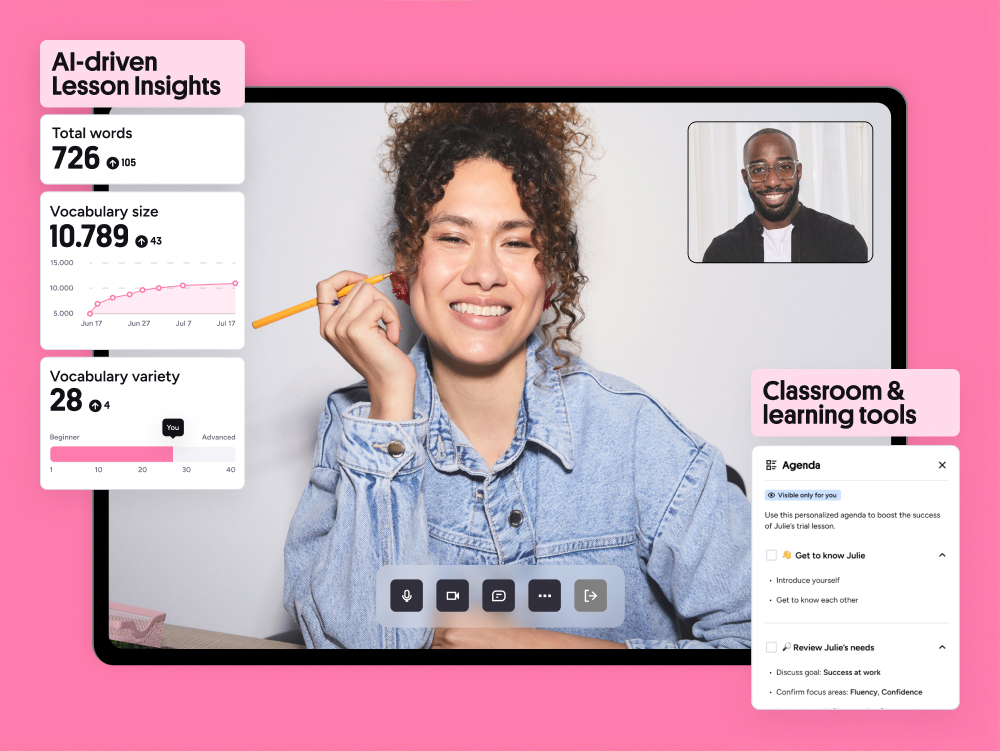
Many tutors structure lessons around a coursebook or a custom curriculum. They share their screen to show slides, annotate texts, or play listening exercises. Homework is assigned through the platform's file system, and parents can see completed work in the lesson history. Some tutors also use external platforms like Kahoot, Quizlet, or Google Docs for variety. The key is consistency — a regular routine helps children know what to expect.
Scroll horizontally to see all columns
| Age Group | Duration | Common Activities | Parent Involvement |
|---|---|---|---|
| 4‑6 years | 25 min | Songs, picture cards, movement games, simple phrases | High — parent often sits nearby |
| 7‑10 years | 25‑50 min | Story reading, phonics, guided conversation, worksheets | Medium — check‑in at start and end |
| 11‑14 years | 50 min | Grammar drills, writing tasks, discussion topics, test prep | Low — occasional progress review |
| 15‑17 years | 50‑80 min | Essay feedback, exam strategies, academic vocabulary, debate | Minimal — student manages schedule |
Tracking Progress and Getting Feedback
Preply provides a progress dashboard that shows lesson count, hours completed, and tutor ratings over time. Tutors write a short note after each session — what was covered, what the child did well, and what needs practice. Parents can reply to those notes or message the tutor directly. Some tutors also record a brief audio summary for the child to replay. The platform does not generate automated proficiency scores; progress is qualitative and tutor‑reported.
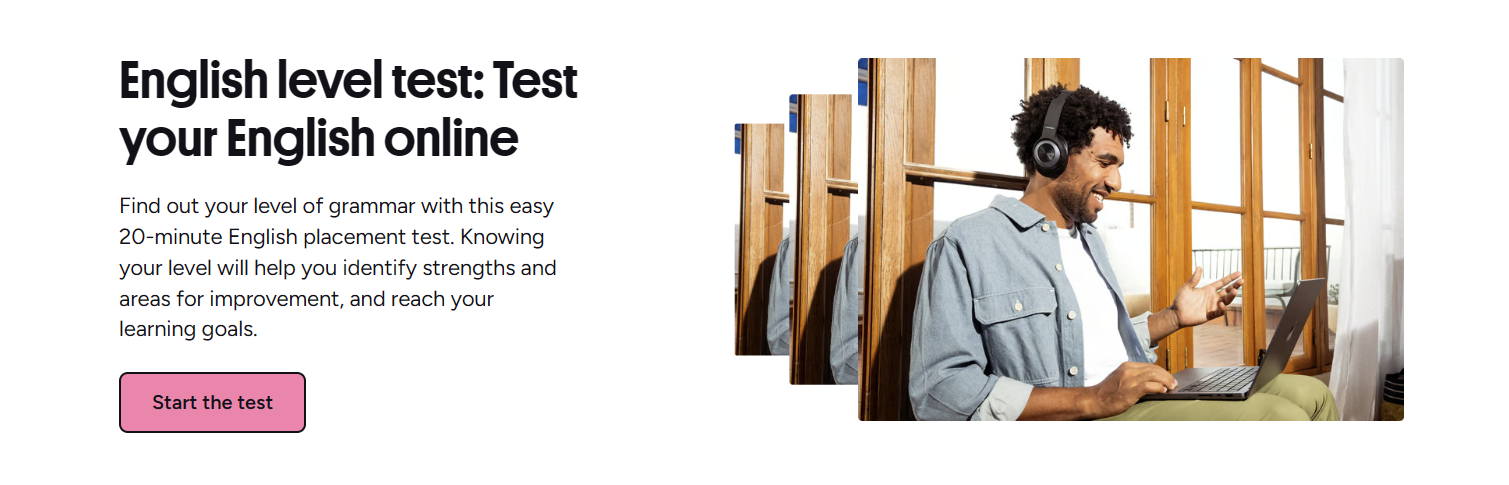
An optional placement test is available when the child first joins. It covers listening, reading, grammar, and vocabulary, and returns a CEFR level (A1‑C2). The test takes about 20 minutes and can be retaken later. It is not a formal exam, but it helps the tutor choose appropriate materials. Many parents find it useful as a baseline, especially if the child has never had a structured English assessment.
Pricing, Packages, and Hidden Costs
Tutors set their own hourly rates, typically ranging from $10 to $40 for kids' specialists. The trial lesson is discounted (often 50% off). After the trial, lessons are bought in bundles: 5, 10, or 20 hours. Larger bundles lower the per‑hour cost slightly. Preply takes a commission from the tutor's fee, so the price you see is the price you pay — no extra platform fees. Payment methods include major credit cards, PayPal, and in some regions, local options.
- Trial lesson: discounted rate, usually 25 or 50 minutes.
- Packages: 5, 10, or 20 hours; hours expire after 12 months.
- Rescheduling: free up to 4 hours before the lesson.
- Cancellation: within 4 hours counts as a used lesson.
- Refunds: unused hours can be refunded within 30 days of purchase.
- Currency: prices shown in USD, EUR, GBP, or local currency.
Safety, Privacy, and Supervision
Preply requires tutors to pass identity verification and a background check before their profiles go live. Lessons are not recorded by default, but tutors can enable recording with parental consent. The chat and file‑sharing history stays in the parent's account. For younger children, Preply recommends a parent be in the room during the first few lessons. The platform also has a reporting system for inappropriate behavior, and support responds within a few hours.
- All tutors verified with ID and background check.
- Lesson recordings optional, parent must approve.
- Chat and file history accessible to parent account.
- In‑lesson reporting button for immediate concerns.
- No direct messaging outside the platform until contact info is shared voluntarily.
- COPPA‑compliant data handling for users under 13.
Using the Mobile App for Flexibility
The Preply app (iOS and Android) mirrors the desktop experience. Children can join lessons from a tablet, which many find more natural than a laptop. The app sends push notifications for upcoming lessons, tutor messages, and homework uploads. Parents can manage the schedule, view progress notes, and purchase new packages without logging into a browser. Offline mode lets students review downloaded materials — flashcards, PDFs, audio — during car rides or waiting rooms.
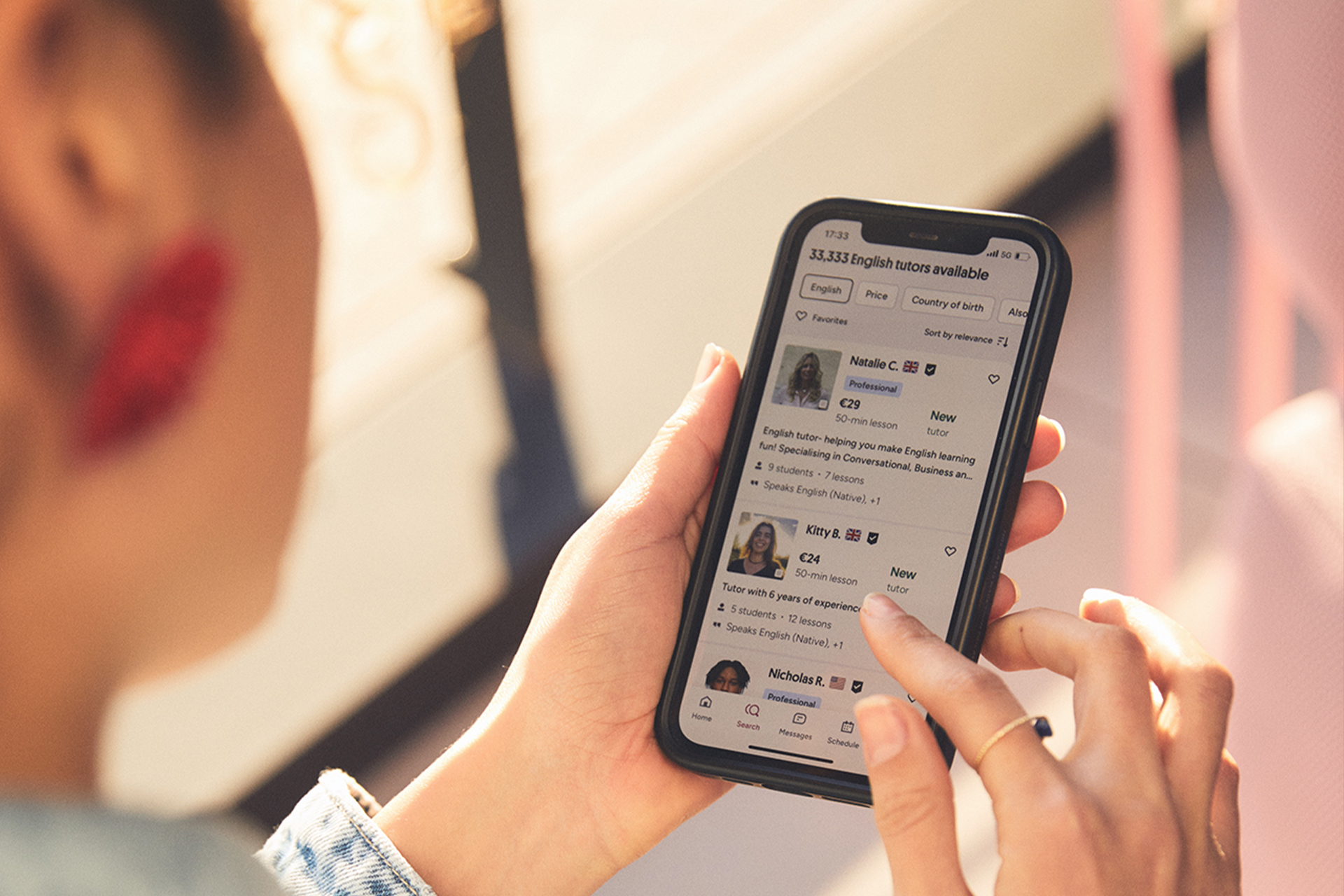
One practical advantage: if the home Wi‑Fi drops, the app switches to cellular data without dropping the call. That reliability matters when a lesson is the only structured English time in a busy week. The app also includes a built‑in dictionary and phrasebook that tutors can reference during class. For families who travel, the time‑zone handling is automatic — lessons stay at the same local time for the child.
Pros and Cons at a Glance
No platform is perfect. Preply's strengths lie in tutor variety, scheduling freedom, and a classroom built for language teaching. The weaknesses show up when parents expect a fully managed curriculum or guaranteed results. The table below summarizes the trade‑offs most families encounter.

Scroll horizontally to see all columns
| Aspect | Pros | Cons |
|---|---|---|
| Tutor choice | Hundreds of specialists; filter by age, accent, certification | Quality varies; trial lesson needed to confirm fit |
| Scheduling | 24/7 availability; easy reschedule; recurring slots | Popular tutors book weeks ahead; time‑zone confusion possible |
| Curriculum | Tutors adapt to school programs, exams, or custom goals | No standardized curriculum; progress depends on tutor |
| Cost control | Pay per package; trial discount; no subscription lock‑in | Hours expire after 12 months; no bulk discount beyond 20‑hour pack |
| Tech experience | Browser‑based classroom; mobile apps; whiteboard and media tools | Occasional audio/video glitches; requires stable internet |
| Support | Responsive help center; tutor replacement if unsatisfied | No dedicated account manager for individual families |
Common Questions Parents Ask
The following questions come up repeatedly in parent forums and support tickets. They cover the practical details that marketing pages often skip.
Frequently Asked Questions
What is the minimum age for Preply lessons?
Preply does not set a hard minimum, but most tutors accept children from age four. For very young learners, a parent must be present during the lesson.
Can I share a package between two siblings?
No. Packages are tied to a single student account. Each child needs their own profile and lesson hours.
What happens if the tutor cancels at the last minute?
The lesson hour is returned to your balance automatically. You can rebook with the same tutor or choose another.
Are lessons recorded for review?
Recording is optional and requires explicit parental consent. If enabled, the video is stored in your account for 30 days.
Can I switch tutors mid‑package?
Yes. Unused hours stay in your account and can be used with any tutor on the platform.
Does Preply provide certificates for children?
Preply itself does not issue certificates. Some tutors create their own completion certificates, but they are not accredited.
What if my child loses interest after a few weeks?
You can pause the schedule and keep remaining hours for up to 12 months. Many parents switch tutors or reduce frequency instead of quitting.
Final Assessment of Preply English Tutors for Kids
Preply works well for families who want flexibility, a wide tutor pool, and a pay‑as‑you‑go model. It is less suited for parents who want a plug‑and‑play curriculum with built‑in assessments and guaranteed outcomes. The platform gives you the tools — search filters, trial lessons, progress notes, a functional classroom — but the results depend almost entirely on the tutor you choose and the consistency you maintain. Start with a trial, watch how your child responds, and treat the first month as an evaluation period. If the chemistry is there, the platform gets out of the way and lets the learning happen.