

Language Learning
How to Find a Tutor on Preply: A Complete Guide
Step-by-step process, search filters, trial lessons, and what to look for in a tutor profile.
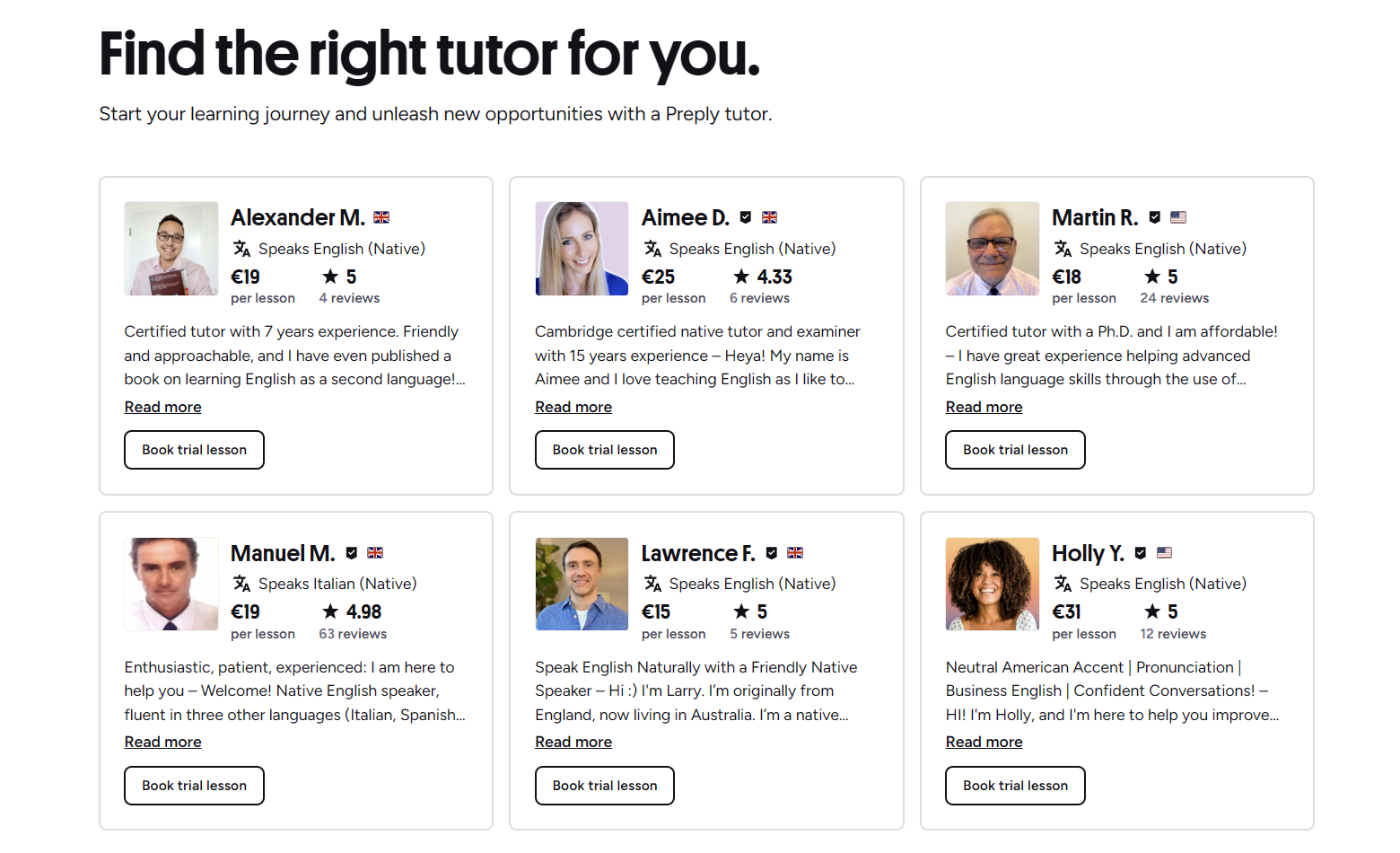
Getting Started with Preply Tutor Search
Preply is an online platform that connects learners with tutors for dozens of languages and subjects. The search process starts the moment you create an account or even before, because you can browse tutor profiles without signing up. The homepage presents a simple search bar where you enter the language you want to learn, and from there you can apply filters to narrow the list. What makes Preply different from a simple directory is that each tutor sets their own schedule, price, and teaching style, so the platform gives you tools to compare them side by side. You don't need to commit to a long-term package right away; you can book a single trial lesson to see if the tutor fits your learning style. This flexibility is useful whether you are a complete beginner or someone looking to polish advanced skills. The platform also shows tutor availability in your time zone, which removes the hassle of converting times manually. As you explore, you will notice that tutors have video introductions, reviews from previous students, and detailed profiles that list their certifications, specialties, and teaching methods. Taking a few minutes to understand how these pieces work together will save you time later when you are ready to book.
Contents
- 1. Getting Started with Preply Tutor Search
- 2. Using Search Filters to Narrow Down Tutors
- 3. Understanding Tutor Profiles and Reviews
- 4. Booking a Trial Lesson: What to Expect
- 5. Preply Trial Lessons: Free or Paid?
- 6. How to Book a Lesson After the Trial
- 7. Managing Your Subscription and Lesson Schedule
- 8. Preply for Business: Finding Tutors for Teams
- 9. Using the Preply Mobile App to Find Tutors
- 10. Tips for Choosing the Right Tutor for Your Goals
- 11. Comparing Tutor Specializations and Pricing
- 12. Key Takeaways for Finding a Tutor on Preply
After you pick a language, the filter panel appears on the left side of the screen. You can sort tutors by rating, price, availability, and even by the tutor's native language. There is also a filter for specific goals like business English, test preparation, or conversation practice. If you have a tight budget, you can set a maximum hourly rate. If you prefer a tutor from a particular country, you can select that too. These filters work in combination, so you can look for a native Spanish speaker from Mexico who charges under $20 per hour and has a 4.9 rating. The results update in real time, and you can see how many tutors match your criteria at the top of the list. It is worth experimenting with different filter combinations because sometimes relaxing one requirement, like the native speaker filter, opens up many more affordable options without sacrificing quality.
Using Search Filters to Narrow Down Tutors
The filter system is the most powerful tool for finding a tutor quickly. Beyond the basic filters, Preply also lets you search by tutor availability on specific days and times. This is helpful if you can only study early mornings or late evenings. You can also filter by the tutor's teaching experience, measured in years, and by the number of lessons they have taught on the platform. A high lesson count often indicates that the tutor is active and retains students, but it does not guarantee a good fit for your personal learning style. Another useful filter is the 'Specializes in' category, which includes options like IELTS, TOEFL, business vocabulary, grammar, and pronunciation. If you are preparing for a specific exam, selecting that specialization will surface tutors who have a track record with that test. You can also filter by the tutor's current time zone, which is handy if you want someone who is awake during your preferred hours. Combining these filters lets you build a shortlist of five to ten tutors that you can then compare in detail.
- Language and dialect preferences
- Price range per hour
- Tutor rating and review count
- Availability matching your schedule
- Specializations such as exam prep or business language
- Native speaker vs. non-native speaker
- Teaching experience and total lessons taught
- Time zone compatibility
Once you have a shortlist, open each tutor's profile to dig deeper. The profile page shows a video introduction where the tutor speaks about their approach, which gives you a sense of their personality and accent. Below the video, you will find a written bio, education background, certifications, and a list of subjects they teach. Pay attention to the 'About me' section because tutors often describe their teaching philosophy there. Some emphasize structured lesson plans, while others prefer a conversational approach. The reviews tab is equally important. Preply displays both a star rating and written reviews from past students. Look for patterns in the feedback: do multiple students mention that the tutor is patient, punctual, or good at explaining grammar? Also check the tutor's response rate and average response time; a tutor who replies quickly is likely to be organized and reliable. The profile also shows the tutor's calendar with available slots, so you can see if their schedule aligns with yours before you even contact them.
Understanding Tutor Profiles and Reviews
A tutor's profile is essentially their resume on the platform, and knowing how to read it can prevent mismatches. The video introduction is the first thing to watch because it reveals the tutor's communication style and language proficiency. If the tutor speaks too fast or uses overly complex vocabulary in the intro, they might do the same during lessons. The written bio often includes their teaching methodology, such as whether they use textbooks, custom materials, or a mix of both. Certifications like TEFL, CELTA, or a degree in language teaching add credibility, but they are not the only indicator of quality. Many excellent tutors have years of practical experience without formal certificates. The reviews section aggregates student feedback, and Preply shows the total number of reviews alongside the average rating. A tutor with 200 reviews and a 4.8 rating is generally more reliable than one with five reviews and a 5.0 rating. Read a few negative reviews as well; sometimes a low rating comes from a scheduling misunderstanding rather than teaching ability. The 'Response time' metric tells you how quickly the tutor typically replies to messages, which matters when you need to reschedule or ask questions between lessons.
Scroll horizontally to see all columns
| Element | What to Look For | Why It Matters |
|---|---|---|
| Video Introduction | Clarity, pace, friendliness | Gives immediate sense of teaching style |
| Written Bio | Methodology, materials, specialization | Shows if approach matches your goals |
| Certifications | TEFL, CELTA, relevant degrees | Indicates formal training but not required |
| Review Count & Rating | High count + 4.7+ rating | Signals consistent student satisfaction |
| Response Time | Under 1 hour is ideal | Affects scheduling and communication ease |
| Availability Calendar | Slots that fit your routine | Prevents booking conflicts later |
| Lesson Count | Hundreds of lessons taught | Suggests experience and student retention |

Use this table as a checklist when you compare two or three tutors side by side. Open each profile in a separate browser tab and go through the elements one by one. It is also a good idea to send a quick message to your top choices before booking a trial. Ask about their experience with your specific goal, whether they assign homework, and how they track progress. A tutor's willingness to answer these questions thoughtfully is a strong signal of professionalism.
Booking a Trial Lesson: What to Expect
Preply's trial lesson is a 50-minute session (sometimes 25 minutes for certain promotions) that lets you experience a tutor's teaching style before committing to a package. The trial is not free; it is offered at a discounted rate set by the tutor, typically between $1 and $10 depending on the tutor's regular price. You pay for the trial when you book it, and if you are not satisfied, Preply's policy allows you to request a free replacement trial with another tutor. This replacement can be requested once, and it must be done within a few days of the original trial. The trial lesson usually follows a structure: a brief introduction, a level assessment, a sample activity, and a discussion of your learning plan. The tutor may ask about your goals, previous experience, and preferred topics. Treat the trial as a two-way interview: you are evaluating the tutor, but they are also assessing whether they can help you. Be honest about your expectations and any specific challenges you face.
- Select a tutor and click 'Book trial lesson'
- Choose an available time slot from their calendar
- Confirm the time zone and lesson duration
- Enter payment details (credit card, PayPal, or Preply wallet)
- Receive confirmation email with lesson link
- Join the lesson via Preply's video classroom at the scheduled time
- After the lesson, decide whether to continue with a subscription
The booking process is straightforward, but there are a few details to watch. The calendar shows slots in your local time zone, so you don't need to convert. If you need to cancel or reschedule, you can do so up to four hours before the lesson without penalty. Cancelling later may result in the trial fee being forfeited. After the trial, you will see a prompt to choose a subscription plan if you want to continue. Subscriptions come in weekly, monthly, or quarterly intervals, and the per-lesson price decreases with longer commitments. You can also buy a package of lessons without a recurring subscription if you prefer more flexibility.
Preply Trial Lessons: Free or Paid?
A common question is whether trial lessons are free. The short answer: they are not free, but they are heavily discounted. Preply's official policy states that trial lessons are paid at a reduced rate, and the platform does not offer a completely free trial as a standard feature. However, some tutors may occasionally offer a free trial as a personal promotion, but this is not guaranteed. The discounted trial serves as a low-risk way to test a tutor without paying the full hourly rate. If the trial does not go well, you can use the one-time free replacement trial to try a different tutor. This system protects both students and tutors: tutors get compensated for their time, and students get a safety net. It is important to read the tutor's trial lesson description because some tutors specify what they cover in the trial, such as a level test or a sample lesson plan.
Keep in mind that the trial lesson fee is non-refundable if you simply change your mind, but the replacement option gives you a second chance. Some students book trials with two or three tutors in the same week to compare quickly. This is allowed, but you will pay for each trial. If you find a tutor you like, you can immediately subscribe to a plan and schedule regular lessons. The subscription starts from the date of your first paid lesson after the trial.
How to Book a Lesson After the Trial
Once you have chosen a tutor, booking regular lessons is similar to booking the trial. From the tutor's profile, click 'Book lessons' and select a subscription plan. Preply offers three main subscription types: weekly (one lesson per week), monthly (four lessons per month), and quarterly (twelve lessons per three months). You can also choose a custom package if you want a different frequency. The price per lesson drops as the commitment length increases. For example, a tutor charging $20 per hour for a single lesson might offer $18 per hour on a monthly plan and $16 per hour on a quarterly plan. After selecting a plan, you pick your preferred time slot. The system will reserve that slot for the duration of your subscription. You can always add extra lessons on top of your subscription if you want more practice in a given week.
- Go to the tutor's profile and click 'Book lessons'
- Choose a subscription plan (weekly, monthly, quarterly, or custom)
- Select your preferred day and time
- Confirm payment method and start date
- Receive schedule confirmation and calendar invites
- Manage upcoming lessons from your dashboard
Your dashboard shows all upcoming lessons, past lessons, and any unused lessons from your subscription. If you need to skip a week, you can cancel a single lesson up to four hours before it starts, and that lesson will be credited back to your subscription balance. However, you cannot cancel the entire subscription mid-cycle for a refund; you can only turn off auto-renewal for the next cycle. This is worth noting if your schedule is unpredictable. Preply also sends email reminders 24 hours before each lesson, which helps avoid accidental no-shows.
Managing Your Subscription and Lesson Schedule
The subscription management page lets you view your current plan, change the frequency, upgrade or downgrade, and pause auto-renewal. You can also see your lesson history, including duration, topics covered, and any notes the tutor added. If you want to switch tutors, you can do so at any time, but your subscription is tied to the specific tutor you booked with. To change tutors, you would need to cancel the current subscription (turn off auto-renewal) and start a new one with the new tutor. Any remaining lessons in the current cycle can still be used with the original tutor until the cycle ends. The platform also provides a progress tracker that shows your lesson count, hours spent, and skill improvements based on tutor assessments. This data can be motivating and helps you see tangible results over time.
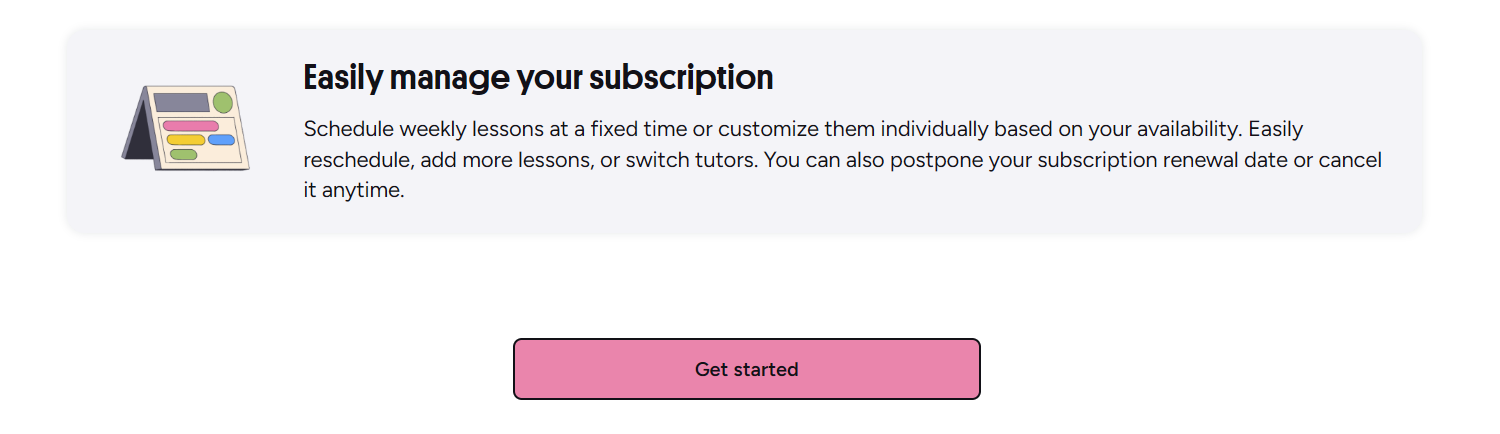
The dashboard is clean and functional. You can see your next lesson at a glance, and there is a button to enter the classroom directly. The progress section breaks down your learning by skill areas like speaking, listening, grammar, and vocabulary, based on the tutor's feedback after each lesson. This feature is especially useful if you are preparing for an exam and need to know which areas need more work. You can also download a PDF report of your progress to share with an employer or for personal records.
Preply for Business: Finding Tutors for Teams
Preply offers a business solution for companies that want to provide language training to employees. The business platform includes an admin dashboard where managers can assign tutors, track team progress, and manage billing centrally. Tutors on the business platform are vetted for professional experience and often specialize in business communication, industry-specific vocabulary, and cross-cultural training. Companies can set learning goals for each employee or department, and the platform matches them with suitable tutors. The reporting tools show utilization rates, lesson completion, and skill development across the organization. This is different from the individual learner experience because the company handles the subscription and scheduling logistics, while employees simply log in and attend lessons.
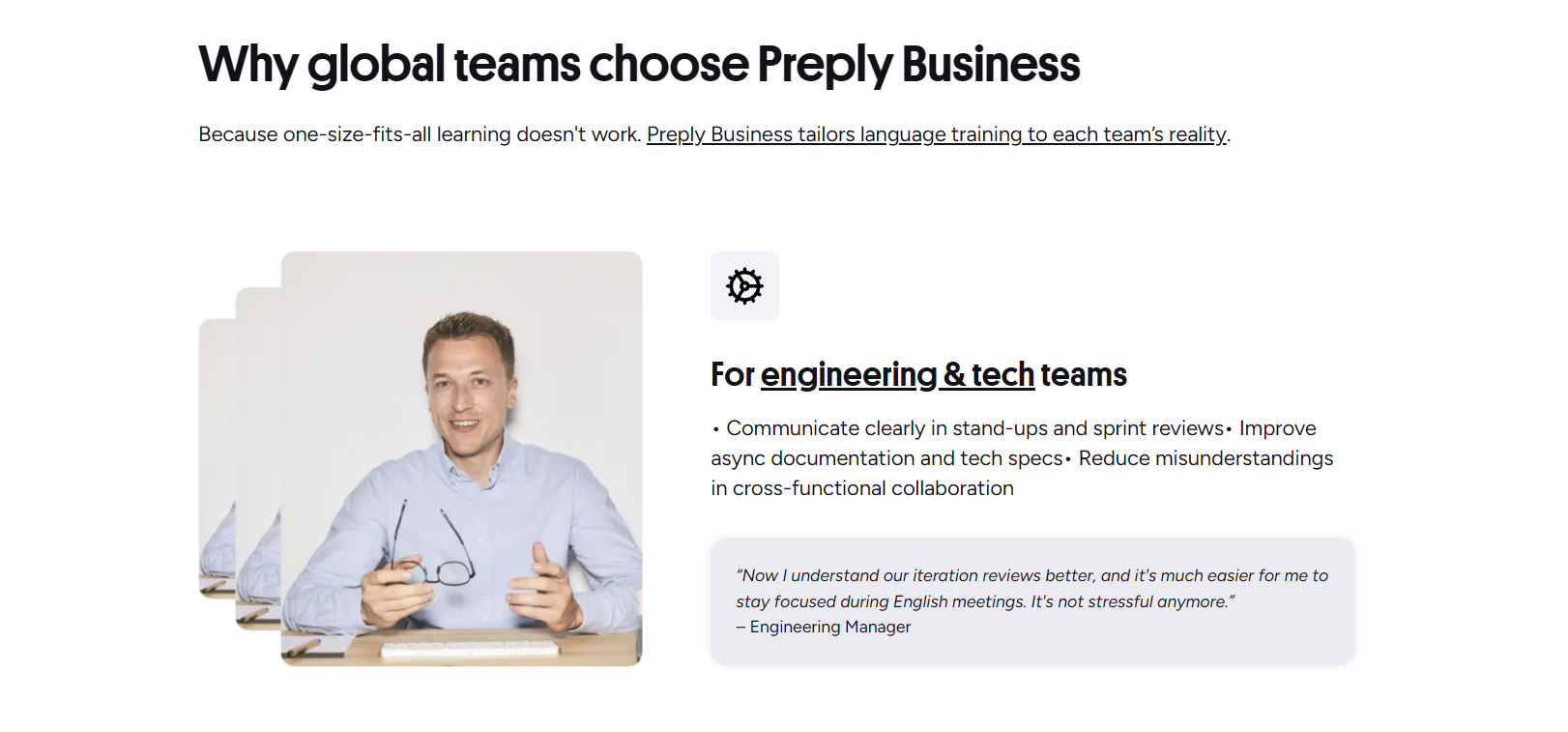
If you are an individual learner, you might still benefit from the business platform if your employer offers it as a perk. In that case, you would receive an invitation link to join your company's Preply workspace. The experience is similar to the individual platform, but the tutor pool may be curated for professional contexts. Pricing for business plans is custom and based on the number of seats and lesson volume. Preply's sales team typically provides a demo and a tailored proposal.
Using the Preply Mobile App to Find Tutors
The Preply mobile app (available on iOS and Android) replicates most of the web experience in a compact form. You can search for tutors, apply filters, watch video introductions, read reviews, and book trials directly from your phone. The app also sends push notifications for upcoming lessons, messages from tutors, and subscription renewals. One advantage of the app is that you can join lessons from your phone if you are away from your computer, though a larger screen is generally better for seeing shared materials. The app's home screen shows your next lesson, a quick link to the classroom, and a progress summary. You can also manage your subscription and payment methods in the app settings. The search functionality is identical to the desktop version, so you won't miss any filters.

Many students use the app for quick schedule checks and to message tutors between lessons. The chat feature supports text, voice notes, and file sharing, which is handy for sending homework or asking quick questions. The app also includes a vocabulary builder where you can save words from your lessons and review them with spaced repetition. This feature syncs with the web version, so your flashcards are always up to date.
Tips for Choosing the Right Tutor for Your Goals
Choosing a tutor is a personal decision, but a few practical guidelines can help. First, define your goal clearly: are you preparing for an exam, improving conversation skills, learning business terminology, or starting from zero? Different goals require different teaching approaches. For exam prep, look for tutors with a proven track record in that specific test and ask for their success rate. For conversation practice, prioritize tutors who are talkative, patient, and good at correcting errors without interrupting flow. For business language, seek tutors with corporate experience or a background in your industry. Second, consider the tutor's availability relative to your schedule. A highly rated tutor who only has slots at 3 AM your time is not practical. Third, watch the video introduction and read the bio for teaching style clues. If you prefer structured lessons with textbooks, avoid tutors who describe their method as 'free conversation only.' Fourth, read reviews from students with similar goals. Filter reviews by keywords like 'IELTS' or 'business' if possible. Fifth, use the trial lesson to test chemistry. A tutor might have great credentials but a personality that doesn't click with you. Trust your gut feeling during the trial.
- Match tutor specialization to your specific goal
- Verify schedule compatibility before booking
- Watch video intro for teaching style and personality
- Read reviews from students with similar objectives
- Use trial lesson to assess rapport and communication
- Check response time and reliability metrics
- Consider tutor's experience with your native language
- Evaluate whether they provide structured materials or custom content
These tips are not a rigid checklist; they are starting points. Some learners prioritize a friendly atmosphere over strict structure, while others want a rigorous curriculum. The platform gives you enough information to make an informed choice, but the final decision often comes down to how comfortable you feel during the trial. Don't be afraid to try a second or third tutor if the first one doesn't feel right. The replacement trial policy exists for exactly that reason.
The best tutor on paper is not always the best tutor for you. A 4.9 rating means many students liked them, but your learning style might be different. Trust the trial lesson more than the rating.
That quote captures a common pitfall: relying solely on aggregate ratings. A tutor with a slightly lower rating but a teaching style that matches yours can yield better progress than a highly rated tutor whose approach frustrates you. The trial lesson is your chance to experience that dynamic firsthand.
Comparing Tutor Specializations and Pricing
Tutor prices on Preply vary widely, from around $5 per hour to over $80 per hour. The price often reflects the tutor's experience, certifications, demand, and specialization. General conversation tutors tend to be on the lower end, while specialized exam preparation (IELTS, TOEFL, Cambridge) and business English tutors command higher rates. Tutors who are native speakers of the target language and also speak your native language fluently may charge a premium because they can explain nuances in your language. Location also plays a role; tutors based in countries with a lower cost of living often offer lower rates. However, price is not a perfect proxy for quality. Many affordable tutors are excellent, and some expensive tutors may not suit your learning style. The table below gives a rough idea of average hourly rates by specialization based on typical platform data.
Scroll horizontally to see all columns
| Specialization | Typical Hourly Rate | Common Goals |
|---|---|---|
| General Conversation | $10 - $25 | Fluency, confidence, everyday vocabulary |
| Exam Preparation (IELTS, TOEFL) | $20 - $50 | Test strategies, scoring criteria, practice exams |
| Business English | $25 - $60 | Presentations, negotiations, industry terminology |
| Academic Writing | $20 - $45 | Essay structure, citations, formal style |
| Pronunciation & Accent Reduction | $15 - $40 | Phonetics, intonation, clarity |
| Grammar Intensive | $15 - $35 | Rule mastery, error correction, exercises |
| Kids & Teens | $12 - $30 | Engagement, age-appropriate materials, basics |
| Less Common Languages | $15 - $55 | Specialized resources, cultural context |
These ranges are approximate and can shift based on tutor popularity and time of year. When you filter by price, remember that the hourly rate shown is for a single lesson; subscription plans reduce the effective per-lesson cost. Also, some tutors offer discounts for booking multiple lessons upfront outside of a subscription. It is worth asking the tutor directly if they have any package deals before you commit.
Budgeting for language learning is often overlooked. If you plan to study for six months or a year, the savings from a longer subscription can be significant. However, only commit to a longer plan after you have completed a trial and are confident in the tutor. Preply's policy allows you to cancel auto-renewal at any time, but you cannot get a refund for unused lessons in the current cycle. So start with a monthly plan if you are unsure, then switch to quarterly once you are settled.
Language learning is a marathon, not a sprint. The tutor you choose today will shape your habits for months. Invest time in the search phase; it pays off in faster progress later.
Frequently Asked Questions
How do I find a tutor for a specific language on Preply?
Enter the language in the search bar on the homepage, then use filters like price, rating, availability, and specialization to narrow the list.
Are Preply trial lessons free?
No, trial lessons are paid at a discounted rate set by the tutor. If unsatisfied, you can request one free replacement trial with another tutor.
Can I change tutors after starting a subscription?
You can switch tutors by turning off auto-renewal on your current subscription and starting a new one with a different tutor. Remaining lessons in the current cycle stay with the original tutor.
What happens if I need to cancel a lesson?
You can cancel or reschedule up to four hours before the lesson without penalty. Later cancellations may result in the lesson being charged.
Does Preply offer group lessons?
Preply primarily offers one-on-one lessons. Group lessons are not a standard feature, but some tutors may arrange small groups privately.
How do I track my learning progress on Preply?
The platform provides a progress tracker that shows lesson count, hours, and skill assessments from tutors. You can also download PDF reports.
Is there a mobile app for Preply?
Yes, Preply has iOS and Android apps with full search, booking, messaging, and classroom features.
What payment methods does Preply accept?
Preply accepts major credit cards, PayPal, and Preply wallet balances. Business accounts may have invoicing options.
Key Takeaways for Finding a Tutor on Preply
Finding the right tutor on Preply is a process that rewards a little upfront effort. Start by defining your goal, then use the filter system to build a shortlist. Examine profiles thoroughly: watch the video, read the bio, check reviews, and note response times. Book a trial lesson with your top choice, and use the replacement trial if needed. Once you commit, choose a subscription that matches your budget and schedule, and monitor your progress through the dashboard. The platform's flexibility means you can adjust as you go, but the initial search sets the tone for your learning experience. Take the time to compare, ask questions, and trust your impression during the trial. A good tutor match makes the difference between steady progress and frustration.