

Language Learning
Preply Learning Resources: Guides, Exercises, and Tests for English
A comprehensive overview of Preply's self-study materials for English language learners.
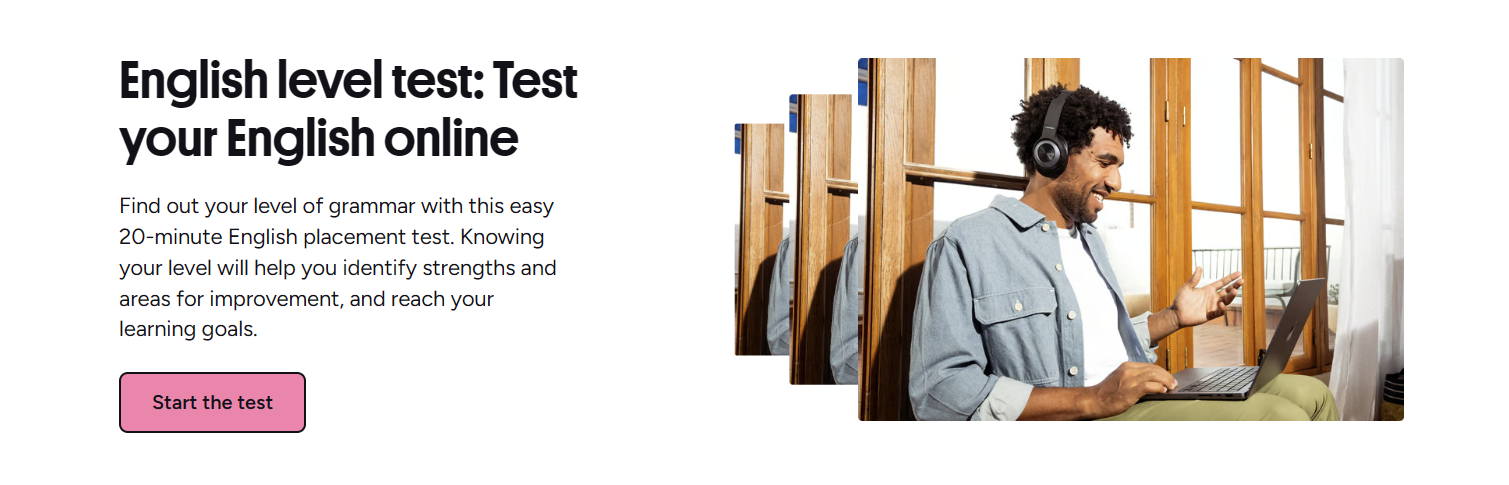
Preply is widely known as a marketplace that connects students with tutors for live lessons, but the platform also offers a growing library of free self-study materials. These resources cover grammar, vocabulary, pronunciation, idioms, and practice exercises across listening, speaking, and writing. They are designed to supplement tutor-led sessions or serve as standalone study tools for learners who prefer a flexible pace.
Contents
- 1. What Are Preply Learning Resources?
- 2. English Grammar Guide on Preply
- 2.1. Grammar Topics Covered
- 2.2. How to Use the Grammar Guide
- 3. Building Vocabulary with Preply
- 3.1. Vocabulary Guide Features
- 3.2. Vocabulary Exercises and Tests
- 4. Pronunciation Practice Tools
- 4.1. Pronunciation Guide Overview
- 4.2. Tongue Twisters and Speaking Drills
- 5. Idioms, Phrases, and Real-World English
- 6. Practice Exercises for Listening, Speaking, and Writing
- 6.1. Listening Practice Materials
- 6.2. Speaking Practice Activities
- 6.3. Writing Practice Prompts
- 7. Assessing Your Level with Preply Tests
- 8. Using the Preply App for Self-Study
- 9. How Tutors Integrate These Resources
- 10. Free vs. Paid Access to Learning Materials
- 11. Tips for Making the Most of Preply Resources
- 12. Limitations and Gaps
- 13. Final Assessment of Preply Learning Resources
The learning hub is organized by skill area and proficiency level, making it easy to find relevant content whether you are a beginner working on basic sentence structure or an advanced learner polishing idiomatic expressions. Most materials are accessible without a subscription, though some advanced features and progress tracking require an account.
This article walks through each major resource category, explains how they fit into a broader study plan, and highlights where they shine — and where they fall short — compared to dedicated language-learning apps or textbooks.
What Are Preply Learning Resources?
Preply's learning resources are a collection of web-based guides, interactive exercises, and assessment tools that cover the core components of English language acquisition. They are not a structured course with a fixed syllabus; instead, they function as a reference library and practice ground. You can dip into a grammar explanation when you're stuck on conditionals, drill vocabulary flashcards before a lesson, or take a level test to gauge progress.
- English Grammar Guide — rule explanations with examples and quizzes
- English Vocabulary Guide — thematic word lists, collocations, and spaced-repetition practice
- English Pronunciation Guide — phoneme charts, audio models, and tongue twisters
- English Idioms and Phrases — curated lists with meanings and usage contexts
- English Exercises — interactive drills for grammar, vocabulary, and reading comprehension
- Listening Practice — short audio clips with comprehension questions
- Speaking Practice — prompts and recording tools for self-evaluation
- Writing Practice — guided prompts with model answers
- Language Tests — level placement, vocabulary size, and grammar diagnostics
English Grammar Guide on Preply
The grammar guide is the most developed section of the resource library. It breaks down English grammar into roughly 60 topics, each with a concise explanation, example sentences, and a short multiple-choice quiz. Topics range from basic parts of speech to advanced structures like mixed conditionals, subjunctive mood, and cleft sentences.
Grammar Topics Covered
The guide follows a traditional pedagogical sequence: verbs (tenses, aspects, modals), nouns (countability, articles, determiners), adjectives and adverbs (comparatives, order), sentence structure (clauses, conjunctions, word order), and special topics (passive voice, reported speech, relative clauses). Each topic page loads quickly and works on mobile without requiring an app install.
- Verb tenses — 12 core tenses plus perfect continuous forms
- Modal verbs — obligation, possibility, ability, deduction
- Conditionals — zero, first, second, third, and mixed
- Passive voice — all tenses, causative, and get-passive
- Reported speech — tense backshifting, reporting verbs
- Relative clauses — defining, non-defining, reduced forms
- Subjunctive and unreal past — wishes, hypotheticals
How to Use the Grammar Guide
The guide works best as a just-in-time reference. If a tutor corrects your use of the present perfect continuous, you can open the relevant page, read the rule, study the examples, and take the 5-question quiz. The quizzes are not adaptive; they repeat the same items on revisit, so they are useful for a quick check but not for deep mastery. For systematic study, you would still want a workbook or a tutor to assign targeted practice.
Building Vocabulary with Preply
Vocabulary resources are organized thematically — travel, business, technology, health, etc. — and by frequency bands aligned with CEFR levels. Each entry includes the headword, part of speech, IPA transcription, audio pronunciation, definition, and several example sentences. There is also a collocation panel showing common word partners, which is a nice touch for learners aiming for natural phrasing.
Vocabulary Guide Features
The interface lets you filter by level (A1–C2), topic, and part of speech. You can mark words as learned, add them to a personal list, and launch a spaced-repetition drill that uses a simple algorithm: correct answers increase the interval, mistakes reset it. The drill presents four exercise types: multiple choice, typing, audio recognition, and image matching.
- Thematic word lists — 30+ categories with 20–50 words each
- CEFR alignment — approximate level tags on each entry
- Collocations — verb+noun, adjective+noun, adverb+verb pairs
- Audio for every headword and example sentence
- Personal word bank with export option (CSV)
Vocabulary Exercises and Tests
Beyond the spaced-repetition drill, there are standalone vocabulary exercises: gap-fill paragraphs, matching definitions, and odd-one-out tasks. The Preply English Vocabulary Test estimates your receptive vocabulary size by sampling 100 words across frequency bands. It takes about 10 minutes and gives a rough word-count estimate (e.g., 3,200 words). The result is not a certified score but can help you choose appropriate reading material.
Pronunciation Practice Tools
Pronunciation is often the weakest link in self-study, and Preply's guide attempts to address it with a phoneme chart, minimal-pair drills, and tongue twisters. The chart covers all 44 English phonemes (RP/General American toggle) with audio from male and female speakers. Each phoneme page shows mouth-position diagrams, common spellings, and a list of practice words.
Pronunciation Guide Overview
The guide distinguishes between vowel and consonant sections. Vowels include monophthongs, diphthongs, and the schwa. Consonants cover plosives, fricatives, affricates, nasals, and approximants. There is a dedicated section on connected speech features: linking, elision, assimilation, and intrusive sounds. This is more thorough than many free pronunciation apps, though it lacks real-time feedback on your own recordings.
Tongue Twisters and Speaking Drills
The tongue twister collection is grouped by target sound (e.g., /θ/ vs /s/, /r/ vs /l/, vowel length). Each twister has a slow and fast audio model. There are also sentence-stress and intonation drills where you listen to a sentence, record yourself, and compare waveforms visually. The comparison is purely visual — no automated scoring — so you need a decent ear or a tutor to verify improvement.
- Phoneme chart with RP/GA toggle and mouth diagrams
- Minimal-pair sets for 20+ contrastive pairs
- Tongue twisters categorized by target phoneme
- Connected speech rules with audio examples
- Record-and-compare tool (no automated scoring)
Idioms, Phrases, and Real-World English
Idioms and fixed phrases are presented in themed clusters: business meetings, socializing, travel, academic writing, and pop culture. Each entry provides the phrase, meaning, register note (formal/informal/slang), and two context sentences. There is also a "phrase of the day" widget on the dashboard for logged-in users.

- Business idioms — "ballpark figure", "move the needle", "low-hanging fruit"
- Social expressions — "break the ice", "hit it off", "catch up"
- Travel phrases — "get away", "stop over", "jet lag"
- Academic collocations — "conduct research", "draw conclusions", "underpin"
- Slang and colloquialisms — updated quarterly
Practice Exercises for Listening, Speaking, and Writing
The practice section bundles skill-specific exercises that mimic common exam task types. They are not full mock tests but focused drills you can complete in 5–15 minutes. Listening tasks use short monologues and dialogues (30–90 seconds) with multiple-choice, true/false, and short-answer questions. Speaking prompts ask you to describe an image, respond to a situation, or give a 60-second opinion. Writing prompts cover emails, essays, and reports with model answers and a checklist.
Listening Practice Materials
Audio sources include scripted dialogues, semi-authentic podcasts, and TED-style talk excerpts. Topics align with the vocabulary themes. Each clip has a transcript toggle and a vocabulary highlight feature. The difficulty ranges from A2 (slow, clear articulation) to C1 (natural speed, reduced forms). There are about 120 listening exercises currently, with new ones added monthly.
Speaking Practice Activities
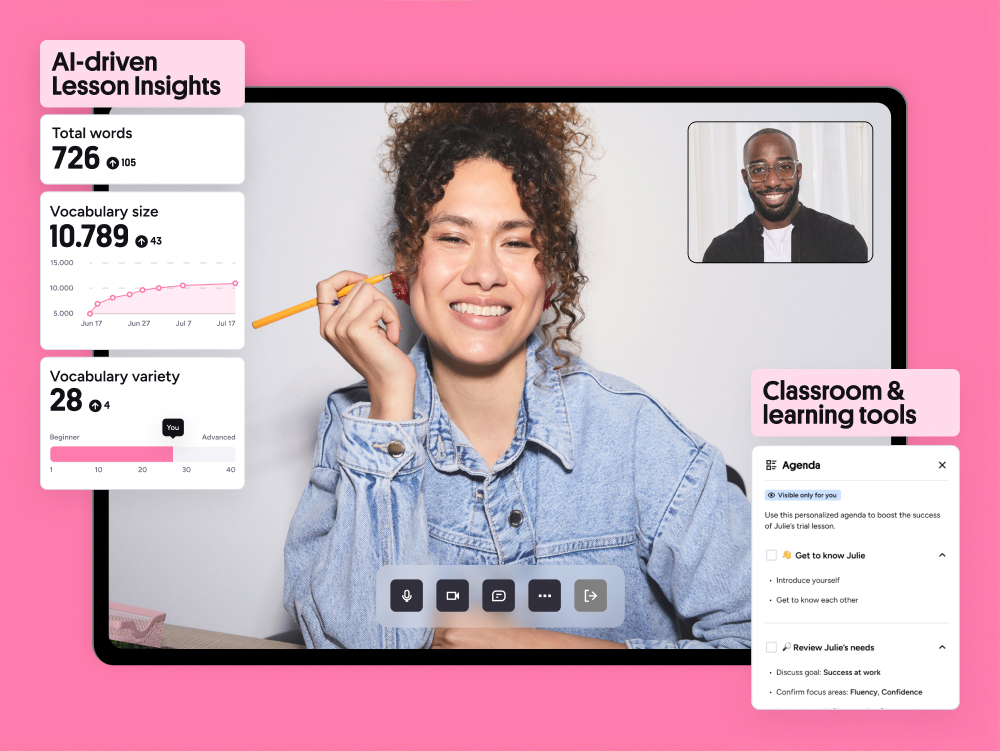
Speaking tasks use the browser's microphone API. You record, playback, and optionally submit to a tutor for feedback (paid feature). Prompts include picture description, role-play responses, and opinion monologues. A timer enforces the time limit. The self-review checklist covers fluency, vocabulary range, grammar accuracy, and pronunciation — useful if you know how to self-assess.
Writing Practice Prompts
Writing tasks are organized by genre: formal email, complaint letter, opinion essay, report, and creative story. Each prompt includes a word-count target, a planning guide (brainstorm, outline, draft, edit), and a model answer annotated with cohesive devices and grammar highlights. You can write directly in the browser editor, which autosaves drafts. No automated grading; peer or tutor review is separate.
Assessing Your Level with Preply Tests
Preply offers four free diagnostic tests: English Level Test (general proficiency), English Vocabulary Test (receptive size), English Grammar Test (structure knowledge), and a Speaking Self-Assessment (checklist-based). The level test is adaptive — 25 questions covering grammar, vocabulary, and reading — and maps to CEFR (A1–C2). It takes 15–20 minutes. The vocabulary and grammar tests are fixed-form, 50 questions each, and provide a percentage score with weak-area breakdown.
Scroll horizontally to see all columns
| Test | Focus | Format | Time | Output |
|---|---|---|---|---|
| English Level Test | Overall proficiency | Adaptive, 25 items | 15–20 min | CEFR level (A1–C2) |
| English Vocabulary Test | Receptive vocabulary size | Fixed, 100 items | 10 min | Estimated word count |
| English Grammar Test | Grammar knowledge | Fixed, 50 items | 12 min | Percentage + weak areas |
| Speaking Self-Assessment | Speaking confidence | Checklist, 20 items | 5 min | Profile radar chart |
These tests are handy for a quick snapshot, but they are not proctored and cannot replace IELTS, TOEFL, or Cambridge exams for official purposes. The level test correlates reasonably with CEFR for placement decisions, especially when combined with a tutor's oral assessment.
Using the Preply App for Self-Study
All learning resources are accessible through the Preply mobile app (iOS and Android) and the desktop web app. The app syncs your word bank, test history, and exercise progress across devices. Offline mode lets you download vocabulary lists and audio clips for practice without connectivity — a practical feature for commuters. The interface is clean, with bottom navigation for Learn, Practice, Tests, and Progress tabs.
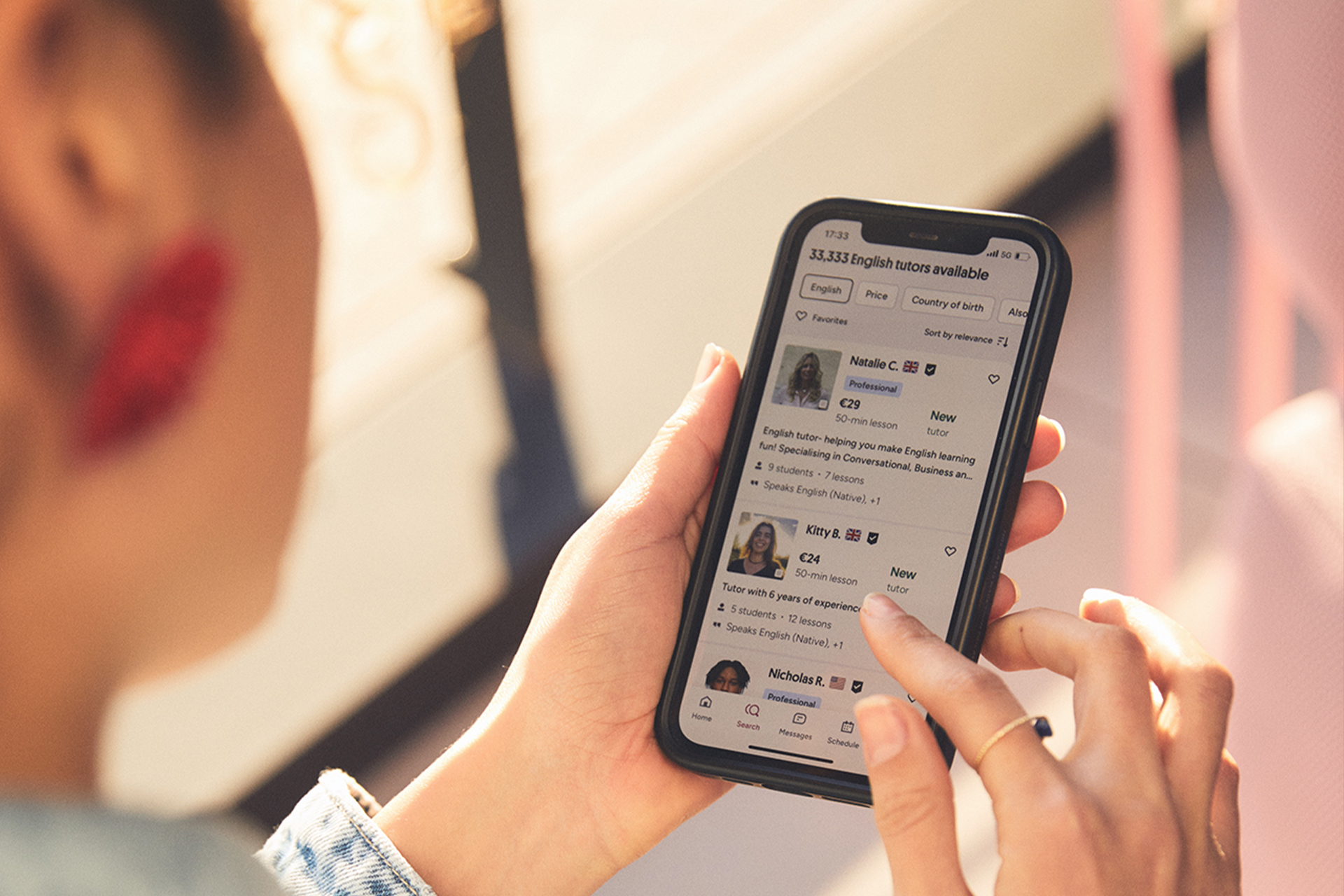
Push notifications can remind you to review flashcards or attempt a daily exercise. The streak counter and weekly goal setter add light gamification. However, the app does not yet support the record-and-compare pronunciation tool; that remains web-only.
How Tutors Integrate These Resources
Many Preply tutors assign specific grammar pages or vocabulary sets as homework between lessons. The platform lets tutors share a direct link to any resource page, and students see the assignment in their dashboard. Some tutors build entire lesson sequences around the guides — for example, teaching conditionals using the grammar guide's explanation, then assigning the quiz and a writing prompt from the practice section.
The resources give tutors a common reference point. Instead of each tutor creating their own handouts, we can point students to the same reliable explanations and spend lesson time on practice and feedback.
Students can also share their test results with tutors, which helps the tutor tailor the first few lessons. The speaking self-assessment checklist is particularly useful for conversation-focused tutors to identify priority areas.
Free vs. Paid Access to Learning Materials
All guides, exercises, and tests are free to access with a registered account. The paid tier (Preply Plus or tutor packages) adds progress analytics, unlimited tutor feedback on speaking/writing submissions, personalized study plans, and an ad-free experience. The core content remains the same; you are paying for structure, accountability, and human feedback.
Scroll horizontally to see all columns
| Feature | Free Account | Paid Subscription |
|---|---|---|
| Grammar, vocabulary, pronunciation guides | Full access | Full access |
| Interactive exercises and quizzes | Full access | Full access |
| Level, vocabulary, grammar tests | Unlimited attempts | Unlimited attempts |
| Personal word bank and spaced repetition | Full access | Full access |
| Progress analytics and dashboards | Basic (streak, time spent) | Detailed (skill breakdown, trends) |
| Tutor feedback on speaking/writing submissions | Per-lesson only | Unlimited async feedback |
| Personalized study plan | Not included | Included |
| Ad-free experience | No | Yes |
For self-directed learners who only need reference materials and occasional practice, the free tier is generous. The paid features matter most if you want a tutor to review your writing regularly or if you like data-driven progress tracking.
Tips for Making the Most of Preply Resources
The resources are modular, so they reward intentional use rather than passive browsing. A few practical habits can increase their effectiveness.
- Take the level test first — it gives a baseline and highlights weak grammar zones.
- Pair each tutor lesson with one related guide page and one exercise set.
- Use the vocabulary spaced-repetition drill daily (5–10 minutes) rather than cramming weekly.
- Record speaking responses for every prompt; keep a folder to track improvement over months.
- Share test results with your tutor before the first lesson to skip diagnostic chatter.
- Export your word bank monthly and review offline with Anki or Quizlet if you prefer their algorithms.
- Use the pronunciation guide's minimal pairs before bed — short sessions beat occasional long ones.
Limitations and Gaps
No resource library is perfect. Preply's materials have noticeable gaps: no dedicated reading comprehension library beyond the listening transcripts, no video-based lessons, and no community forum for peer interaction. The exercises are mostly discrete-item (multiple choice, gap fill) rather than communicative tasks. The pronunciation tool lacks automated feedback, which limits its value for solo learners. And the content is English-centric — other languages have only a fraction of the coverage.
If you need structured reading progression or video lessons, you'll still want a complementary app like LingQ, BBC Learning English, or a graded reader series.
The vocabulary algorithm is basic compared to dedicated SRS apps (Anki, Memrise). It does not support custom card templates, cloze deletion, or image occlusion. For serious vocabulary acquisition, many learners export the word list and import it into their preferred SRS.
Final Assessment of Preply Learning Resources
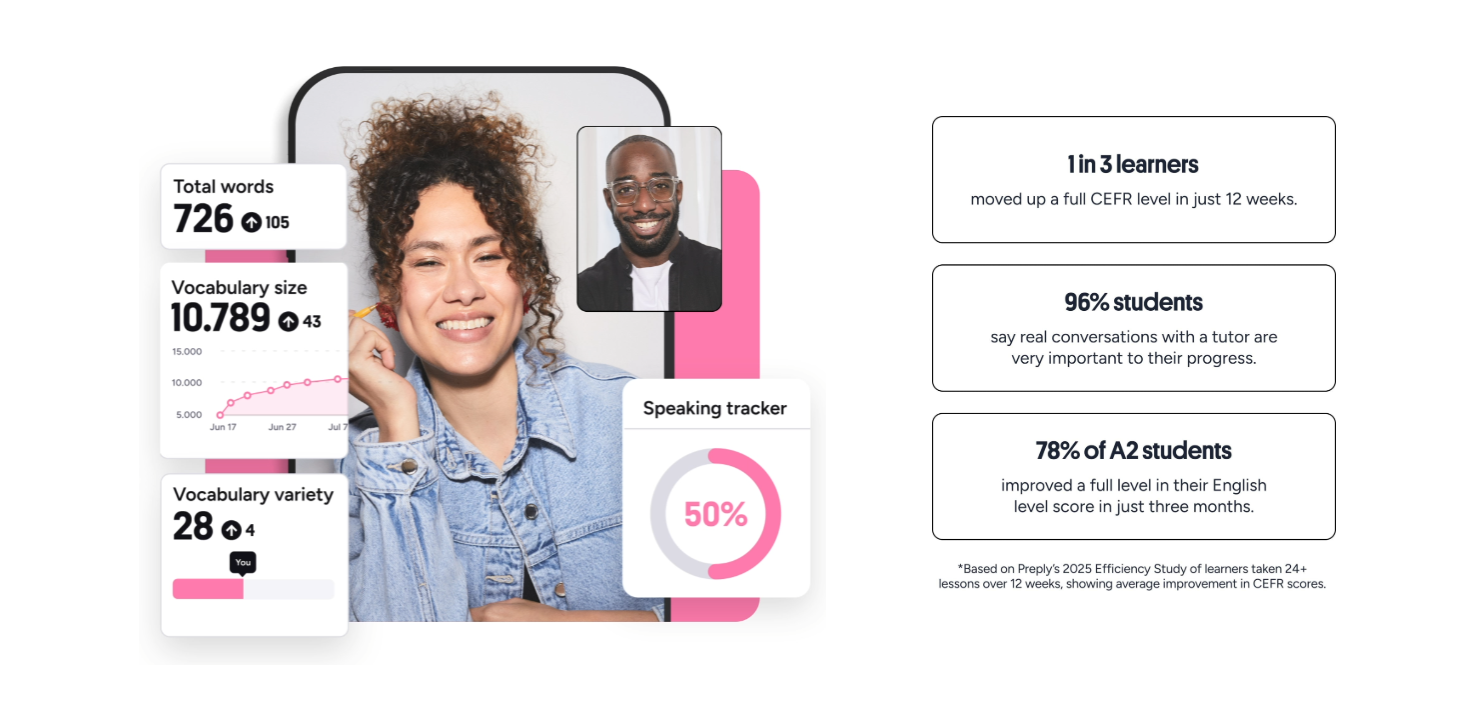
Preply's learning resources are a solid, free supplement for English learners — especially those already taking lessons on the platform. The grammar guide is thorough enough to replace a mid-level reference book. The vocabulary system, while not best-in-class for spaced repetition, covers the right words with good context. Pronunciation materials are unusually detailed for a free offering. The tests give a credible rough placement. The main value, however, comes from integration: tutors and students sharing a common library turns isolated study into a coordinated effort. If you are not using Preply tutors, the resources are still useful but less compelling than specialized tools for each skill. Treat them as a well-organized reference and practice ground, not a complete self-study course.
Frequently Asked Questions
Are Preply learning resources completely free?
Yes, all guides, exercises, and tests are free with a registered account. Paid subscriptions add analytics, unlimited tutor feedback on submissions, and personalized study plans.
Can I use Preply resources without booking any lessons?
Absolutely. You can create an account, access the full library, take tests, and track basic progress without ever purchasing a lesson.
Do the resources cover languages other than English?
English has the most extensive coverage. Other languages have limited vocabulary lists and grammar guides, but the depth varies significantly by language.
How accurate is the Preply English Level Test?
It correlates reasonably with CEFR for placement purposes, but it is not a proctored exam and cannot replace official certifications like IELTS or TOEFL.
Can I download materials for offline use?
The mobile app allows downloading vocabulary lists and audio clips for offline practice. Full guides and interactive exercises require an internet connection.
Does Preply offer automated pronunciation scoring?
No. The record-and-compare tool provides visual waveform comparison only. Automated scoring is not available; you need a tutor or self-assessment for feedback.